
12 Best Review Management Software Tools for 2025
What people say about your business is super important. Think about it: when you want to try a new pizza place or find someone to fix your leaky faucet, what do you do first? You check the reviews! Well, your customers do the same thing. What they read (or don't read!) helps them decide if they should pick you. Good reviews make people trust you right away and bring in new customers. But if you have no reviews, it’s like your business is invisible.
Trying to keep up with all those reviews on Google, Facebook, and other sites can feel like a HUGE job. It's so easy to miss a comment. Maybe you miss a chance to thank a happy customer or help an unhappy one. This is where the best review management software can save the day. These cool tools do the hard work for you. They ask for reviews, gather them up, and even help you reply, which saves you a ton of time.
This guide will show you the best tools out there so you can find the perfect one. We’ll look at 12 awesome options, from big names like Birdeye and Podium to cool all-in-one helpers like Authority Echo. For each one, we’ll show you pictures, give you links, and tell you the good and the bad. You’ll learn which software is great for local shops, which is best for online stores, and which one will help you look like a star online and get more customers.
1. Authority Echo — Build Trust Faster With Automated Review Management
Authority Echo is like a super-smart, all-in-one machine for businesses that want to be famous for being great. It does more than just get reviews. It uses your good reviews to make you the top answer when people ask questions on Google or with AI helpers like ChatGPT. So, it doesn't just collect nice words; it uses them to make you look like the expert everyone should trust.
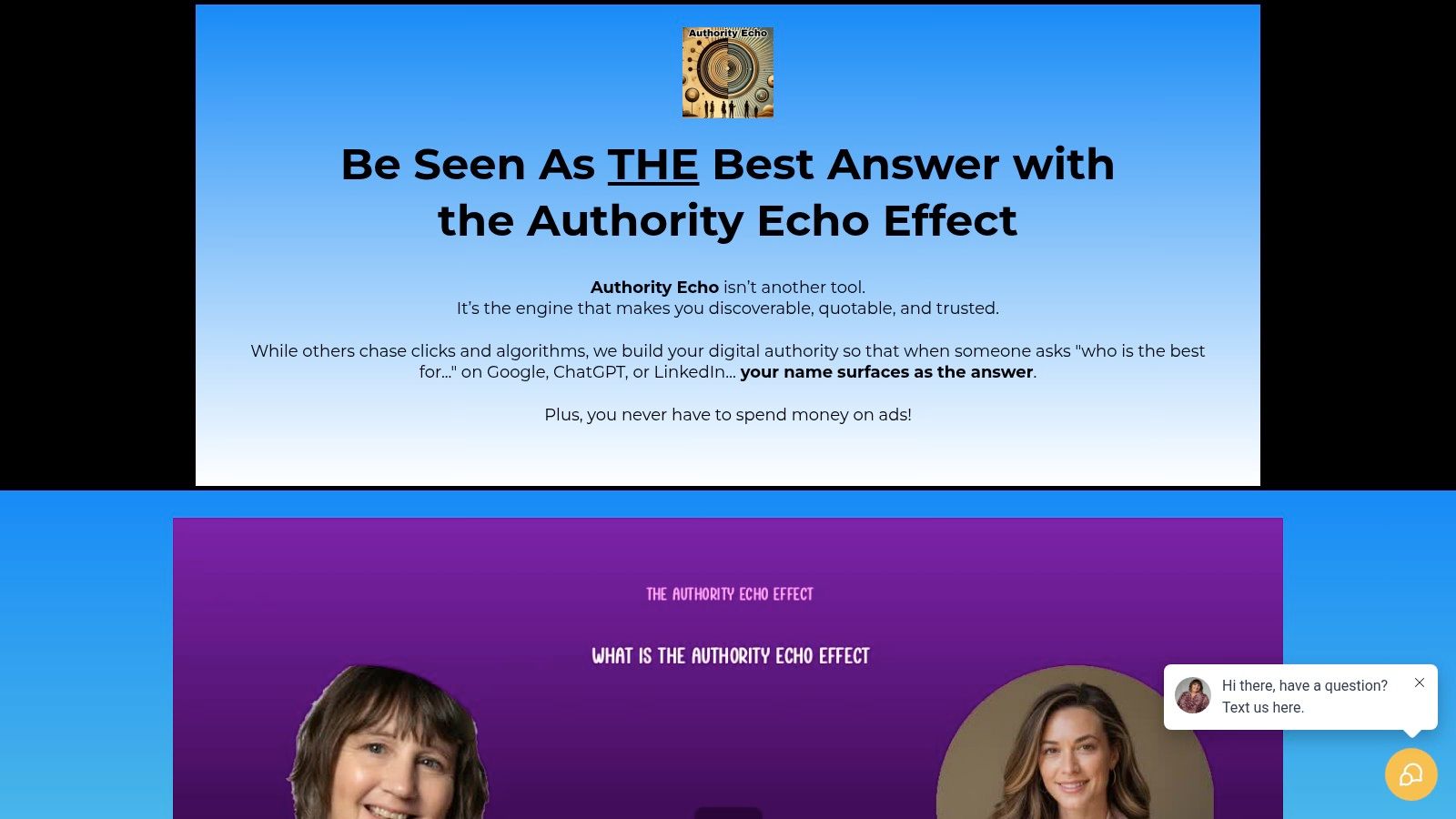
Other tools just ask for reviews. Authority Echo is different. It’s built to help you grow. It’s perfect for consultants, people who sell services, and business owners who want one tool to do everything from finding new customers to building a famous brand. It connects your good reputation to real growth, so great reviews lead to more phone calls from people who want to hire you.
Key Features and Strategic Advantages
- Automated Review Management: The system automatically finds, replies to, and shows off your best reviews as they come in. You don't have to lift a finger, and your reputation is always shining.
- AEO-First Approach: Authority Echo's main goal is to make you the star on AI search and Google. It helps your smarts show up as the "best answer," bringing you people who are ready to buy.
- Integrated Growth Stack: This isn't just one of the best review management software tools; it's a whole box of tools. It helps you find leads, write great content, and even has an AI helper that works 24/7 to talk to new customers.
Who Is It Best For?
This tool is awesome for businesses that sell their expertise and want to grow without paying for ads. If you're a consultant or agency who wants to be seen as the best and get a steady stream of great clients calling you, Authority Echo has everything you need in one place. You can stop juggling a bunch of different tools.
Website: https://authorityecho.com/
2. G2
G2 isn't a tool you buy. It’s more like a giant library where you can check out all the best review management software. It’s your research spot! G2 collects thousands of reviews from real people who have actually used the software. This gives you an honest look at what they’re really like.
The coolest thing about G2 is how you can sort everything. You can look for tools that are right for your company's size, what you sell, or special things you need them to do. It stops you from wasting time looking at software that won’t work for you. Their "Grid" reports are super helpful because they show you a picture of who the top players are.
How to Use G2 for Your Search
G2 is great because it has so many fresh reviews. Other sites might have old ones, but G2 is always getting new ones.
- Go to the "Review Management Software" section: Start there to see all your choices.
- Use the Filters: On the side, you can click "Small Business" or look for features like "Review Monitoring" to find exactly what you need.
- Read the Good and the Bad: G2 puts all the good and bad comments together, so you can quickly see what people love and what they don't.
Pro Tip: Look at who wrote the review. A feature that's great for a giant company might be too confusing for a small local shop. Also, some companies pay to be at the top, so look for the reviews with a "verified" checkmark. You might need to sign up for free to see the best reports.
Website: https://www.g2.com/categories/review-management-software
3. Capterra
Capterra is another big, important place to research business software. Think of it like a huge online catalog where you can find and compare different review tools. Just like G2, it helps you see your options side-by-side. But Capterra is really awesome because it's so easy to look at and has helpful guides for people buying software.
What makes Capterra special is its simple design. You can see prices and important features for a bunch of tools all on one screen. This is amazing for making a short list of your favorites. The site collects a ton of reviews from users and shows them to you in a way that helps you understand if a tool is good, bad, or just right.
How to Use Capterra for Your Search
Capterra is really good at helping you go from having hundreds of choices to just a few really good ones.
- Look at the "Review Management Software" section: This is where you start to see the most popular and highest-rated tools.
- Use the Filters: On the left side, you can pick things like "Negative Feedback Management" or your company size to find a perfect match.
- Compare Products: There’s a "Compare" button that lets you see up to four tools right next to each other. This makes it super easy to spot the differences.
Pro Tip: Look for special badges like "Leaders" that Capterra gives out. These can quickly show you which tools other people really like. Just remember that some companies pay to be at the top of the list, so scroll down to see everything. Not all tools show their price, so you might have to go to their website to ask.
Website: https://www.capterra.com/review-management-software/
4. GetApp
GetApp is another great research spot, made especially for small and medium-sized businesses. It helps you find your way through the confusing world of software by making simple lists and reports on the "Category Leaders." Instead of showing you a million options, it helps you find the best review management software by focusing on what you really need, like checking your reviews or making customers happy.
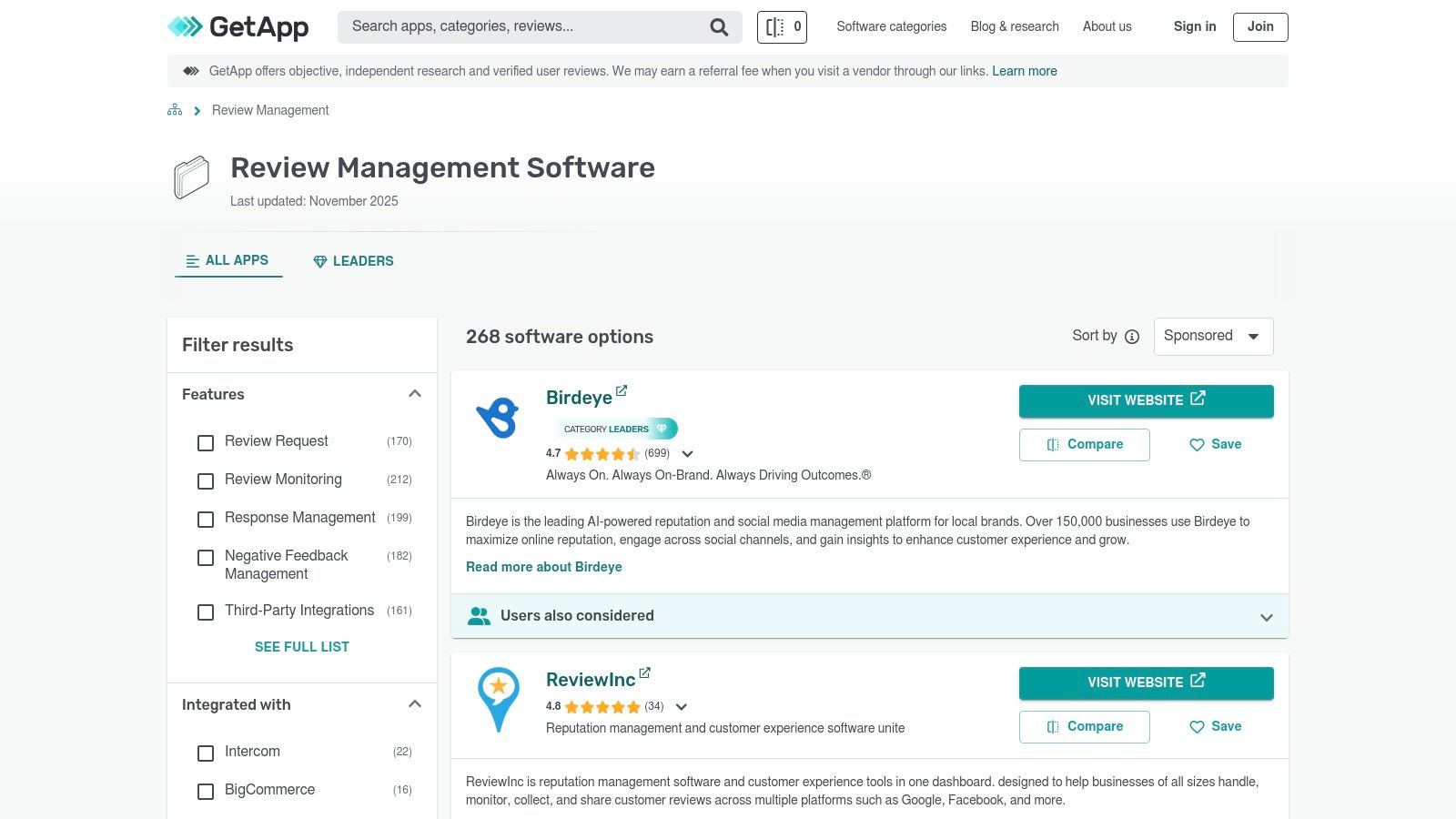
GetApp is super helpful because it scores each tool. They get rated on things like how easy they are to use, what they can do, if they're a good price, and if their help desk is any good. This lets you quickly compare the top tools based on what’s most important to you.
How to Use GetApp for Your Search
GetApp is really good at making complicated software easy to understand. It's perfect for business owners who are too busy for a lot of research.
- Check out the Category Leaders: Look at their "Feedback & Reviews Management" section to see which tools have the best scores from real users.
- Use the Comparison Tool: You can pick up to four different tools and see them side-by-side to compare what they do, how much they cost, and what users think.
- Read User Reviews: GetApp lets you see reviews from people in the same business as you, so you know their comments are extra helpful.
Pro Tip: When you look at a tool, click on the "Integrations" tab. This is super important! It tells you if the tool will work with the other software you already use, like your customer list. GetApp gives great summaries, but sometimes you’ll have to ask a tool for its price.
Website: https://www.getapp.com/customer-service-support-software/feedback-and-reviews-management/
5. Shopify App Store (Product Review Apps collection)
If you have an online store on Shopify, the best place to find review software is right inside your Shopify account. The Shopify App Store isn't just one tool; it's a whole market full of awesome review apps that are made to work perfectly with your store. You can find top-rated apps like Judge.me, Loox, and Yotpo here.
Why is this so great? Because these apps just work. They fit right in with your product pages and your checkout. You can easily add review boxes, automatically send emails asking for a review after someone buys something, and even show off photos and videos from your customers. This builds trust in a snap and helps you sell more.
How to Use the Shopify App Store for Your Search
The best part is that you can install these apps with just one click, and lots of them have free plans. This means you can try a few out to see which one you like best without spending a lot of money.
- Look at the "Product Review Apps" collection: Start here to see all the great choices in one place.
- Look for the "Built for Shopify" badge: This little badge means the app is extra good and meets Shopify's rules for being fast and safe.
- Read what other store owners say: Check the star ratings and read the comments. Pay attention to the different price plans, because some free plans are very different from the paid ones.
Pro Tip: Don't just look at the overall star rating. Read the newest reviews to see what people are saying about customer service. Many apps have free versions that are perfect for new stores. You can start collecting reviews right away and then get a bigger plan as your store grows.
Website: https://apps.shopify.com/collections/product-review-apps
6. Birdeye
Birdeye is an all-in-one tool for local businesses that want to manage everything online from one spot. It does way more than just reviews. It also has tools for messaging customers, adding a chat box to your website, and posting on social media. This makes it a great choice for businesses that want to use fewer tools and have everything in one place.
What makes Birdeye so special is how great it is for businesses with lots of locations. You can handle reviews and customer chats for every single store without getting confused. It even has an AI helper named "Robin" that helps you write replies to customers fast, so no one is ever ignored.
How to Use Birdeye for Your Business
Birdeye is really good at connecting all the different parts of a customer's journey, from when they first find you to when they leave a review.
- Put All Your Messages in One Place: Use one inbox to see messages from Google, Facebook, and texts all at once.
- Ask for Reviews Automatically: Set it up to automatically send a text or email asking for a review right after a customer buys something.
- Check and Reply to Reviews: Keep an eye on reviews from over 200 websites. Use the AI helper to write replies and keep your brand sounding friendly everywhere.
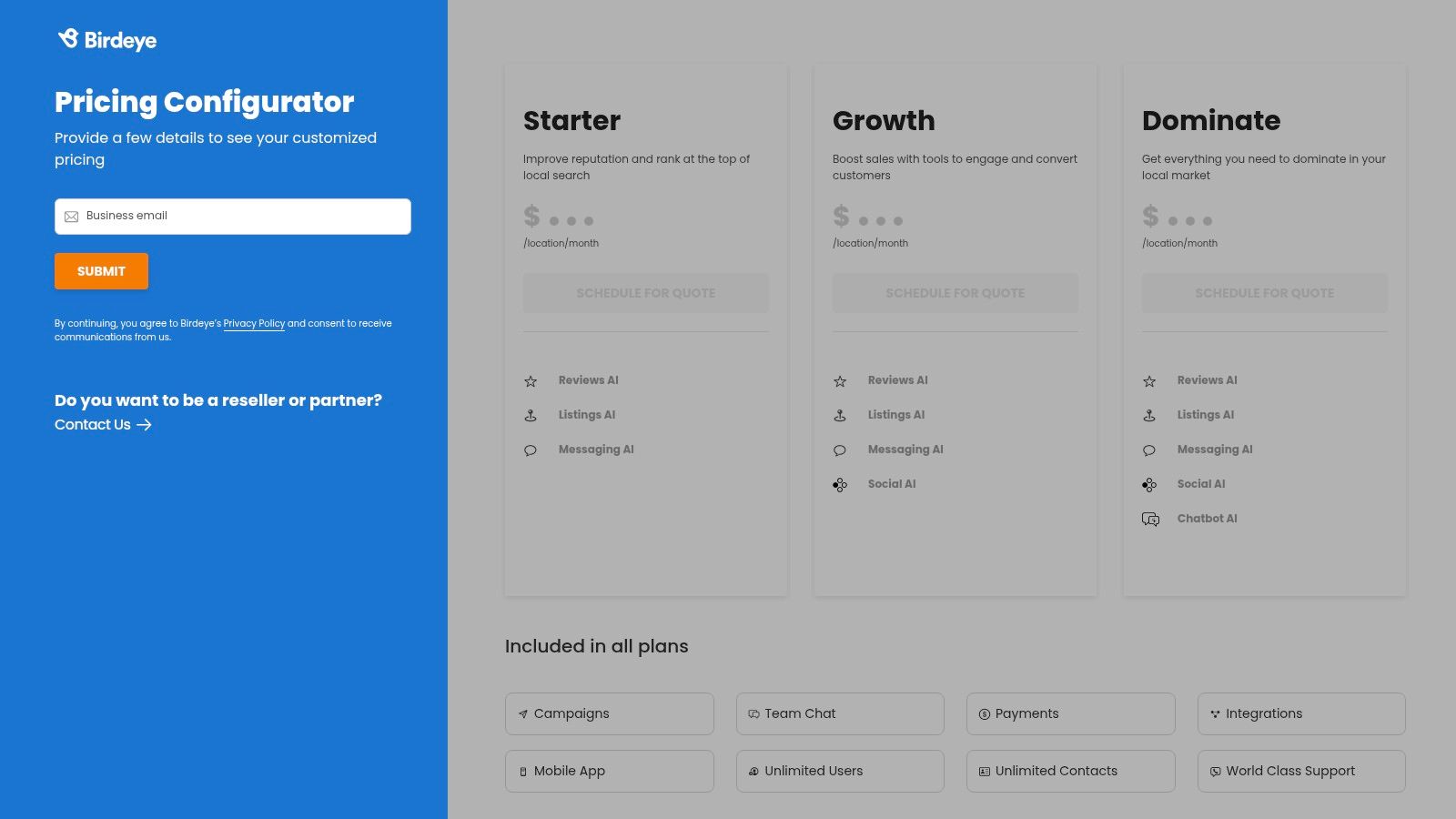
Pro Tip: Birdeye doesn't have a set price; you have to ask them for one. The cost depends on how many locations you have and if you want extra things like the social media tool. It's usually best for businesses that will use a lot of its features. The good news is that all plans let you have as many users as you want.
Website: https://birdeye.com/pricing/
7. Podium
Podium does review management a little differently. Instead of email, it uses texting. It's a communication tool for local businesses that uses text messages to ask for reviews, chat with customers, and even take payments. It wants to be the one place where you talk to all your customers, from their first question on your website to asking for a review after you've helped them.
What makes Podium so popular is how it makes everything simple and text-based. A customer can send you a message from your website, and you can text them right back from the Podium app. After a sale, a link to leave a review goes straight to their phone. This makes it way more likely they'll leave one, because who doesn't check their texts? This is a great tool for businesses that talk to customers directly.
How to Use Podium for Your Search
Podium is awesome because it can turn any chat with a customer into a chance for a five-star review.
- Add the Website Chat: Put the Podium chat box on your website to get messages from new customers, and then text them back right away.
- Send Review Invites Automatically: Set it up to automatically text a review link after you finish a job or sell something.
- Manage Everything in One Inbox: Use one spot to reply to reviews, answer texts, and handle all customer chats without having to switch between different apps.
Pro Tip: Podium's price is not listed online; you have to talk to them to get a quote, and they often want you to sign up for a full year. Be ready to tell them what you need. Also, remember that sending business texts has some rules you have to follow.
Website: https://www.podium.com/
8. Trustpilot Business
Trustpilot is a big deal. It's not just a tool; it's a famous symbol of trust that people all over the world know. People actually go to the Trustpilot website to look for reviews. With a business plan, you get special tools to invite your customers to leave reviews and show off all the great things they say.
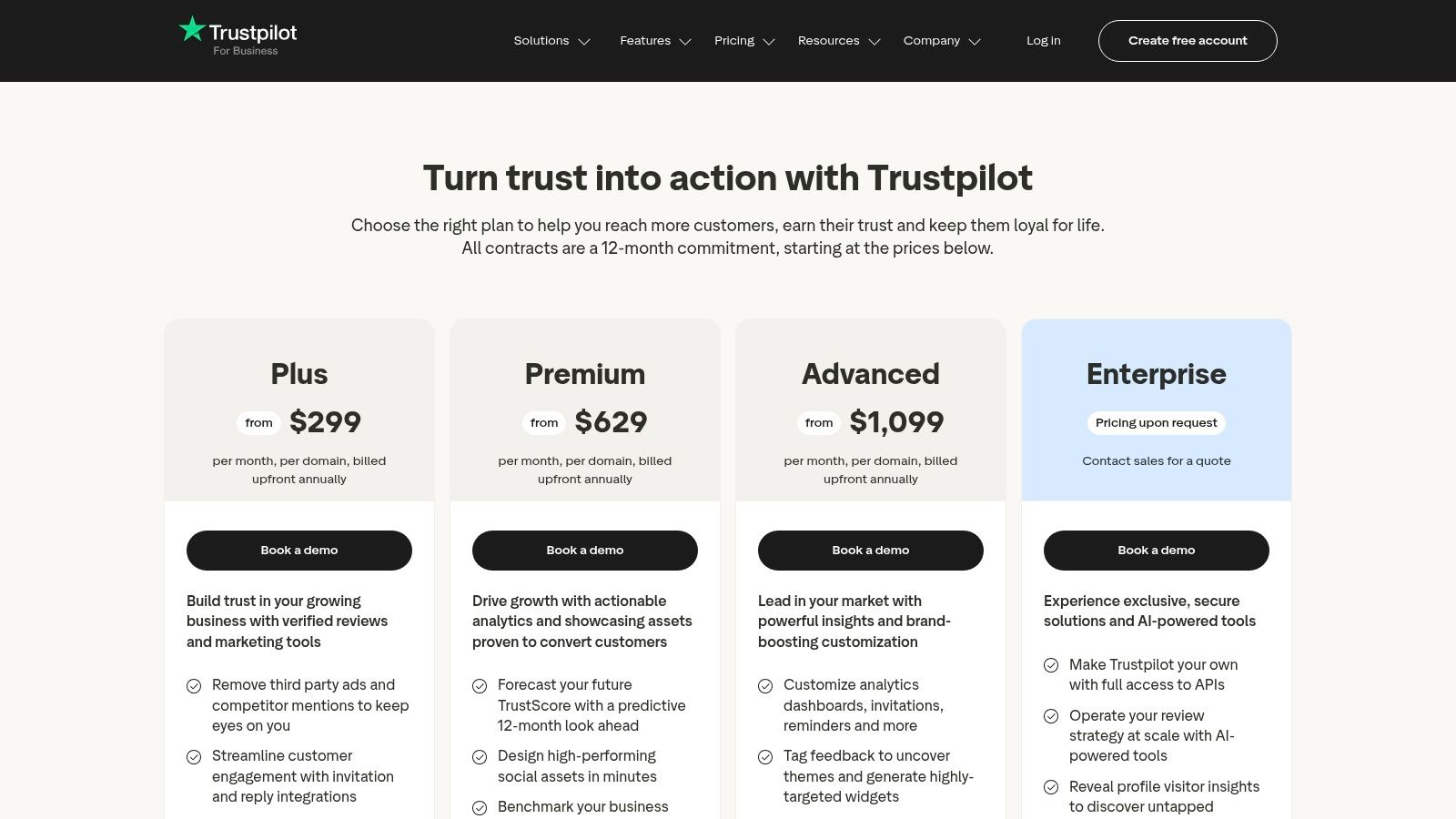
What makes Trustpilot stand out from other review management software is that everyone knows its name. Putting the Trustpilot star rating on your website can make people trust you instantly. Their tool also shows you cool charts and numbers to help you understand what your customers are thinking and how you're doing compared to other businesses.
How to Use Trustpilot for Your Business
Trustpilot is great at turning your happy customers into your best marketing team. Its system for sending invitations makes sure you're always getting new, fresh reviews.
- Send Invites Automatically: Connect it to your store so it automatically asks for a review after someone buys something.
- Show Off Your Score: Use their "TrustBox" widgets to put your star rating and best reviews right on your website.
- Make Cool Social Media Posts: The bigger plans have tools that can turn your best reviews into nice-looking pictures you can share on Facebook or Instagram.
Pro Tip: Be ready for anyone to leave a review, because the site is public. This means you might get reviews you didn't ask for. It's important to reply to both good and bad reviews to show you care. They have a free plan, but the best tools for getting reviews and marketing cost money and usually need a year-long plan.
Website: https://business.trustpilot.com/pricing
9. Reputation (formerly Reputation.com)
Reputation is a super-powerful tool made for huge companies with tons of locations, like car dealerships or big retail stores. This is not a tool for a small shop. It's a giant toolbox for big businesses that need to watch their online reputation everywhere, all at once. It helps them see reviews, reply to them, and understand them across hundreds or even thousands of stores.
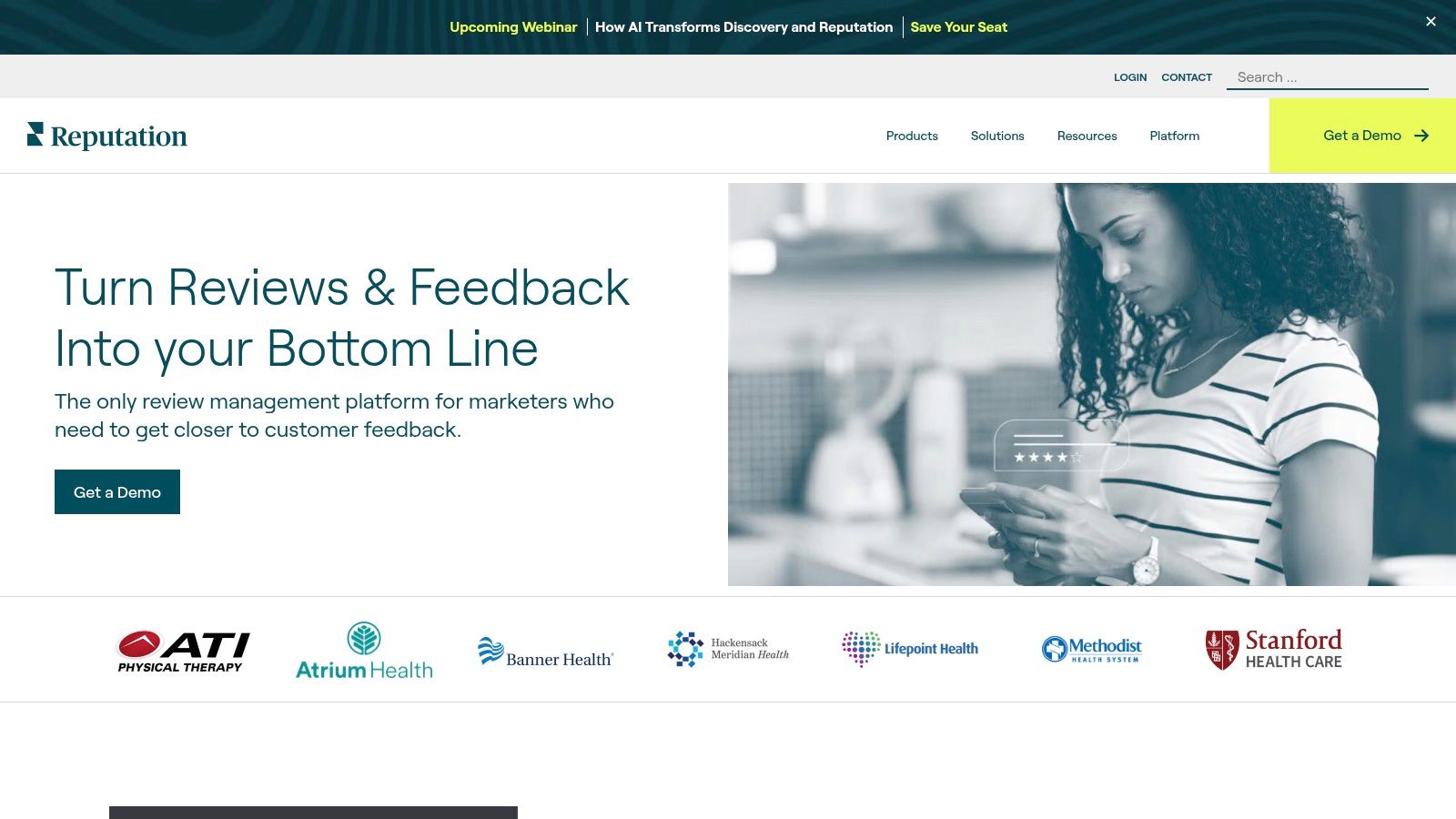
What makes Reputation different is that it looks at the whole customer experience. It does more than just reviews. It also handles surveys, listens to what people are saying on social media, and manages business information online. This makes it one of the best review management software choices for big companies that need one dashboard to control everything.
How to Use Reputation for Your Search
Reputation is amazing at making complicated jobs simple for giant companies. It’s perfect for brands that need all their different stores to act and sound the same.
- Keep Everything in One Place: You can make pre-written replies for local managers to use, so the brand always sounds the same.
- See How You're Doing: Look at reports to compare how different stores are doing and find problems that lots of people are talking about in reviews.
- Use Surveys: Send out private surveys to get even more detailed feedback from customers to help make things better.
Pro Tip: You can't just sign up for Reputation online. You have to ask for a meeting and get a special price. When you talk to them, be very clear about how many locations you have and what you need the tool to do. It’s also smart to ask them how they keep all your information safe.
Website: https://reputation.com/review-management/
10. ReviewTrackers
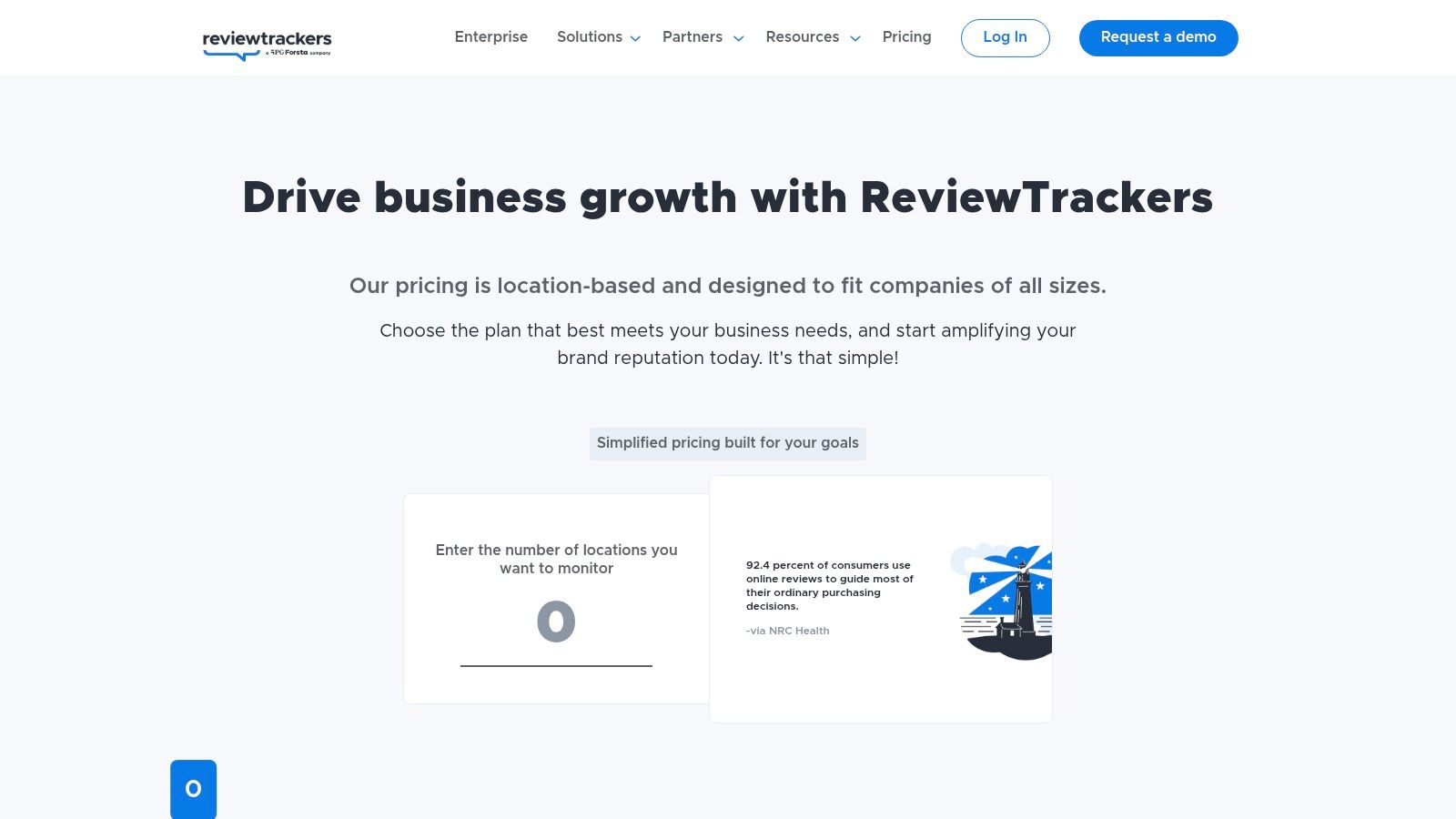
ReviewTrackers is really good at pulling in reviews from over 100 different websites and putting them all in one clean and simple spot. This makes it an awesome choice for businesses that need to see what people are saying everywhere. It's especially great for companies with many locations, because you can see your whole brand's reputation at once or look at just one store.
The tool is made to help you do something about your reviews, not just read them. It sends you a message when a new review comes in so you can reply fast. It even uses AI to help you write replies, which saves a lot of time. This focus on watching everything and replying quickly makes it a top choice for the best review management software.
How to Use ReviewTrackers for Your Business
One of the best things about ReviewTrackers is how easy it is to use. It makes a complicated job feel simple. Plus, you can have as many people from your team use it as you want.
- Set Up Your Dashboard: Add your business locations and review sites, and it will start gathering feedback right away. You can choose to get new review alerts by email.
- Get New Reviews: Use its email and text message tool to ask your happy customers for feedback, sending them to the review sites you care about most.
- See What Your Competitors Are Doing: Use the tool to see how your reviews compare to other businesses nearby so you can find ways to get even better.
Pro Tip: The main plans are really good, but they have extra tools for local SEO that can make it even more valuable. You’ll have to talk to them to get a price, so be ready to tell them what you need, because the extras will cost more.
Website: https://www.reviewtrackers.com/plans/
11. REVIEWS.io
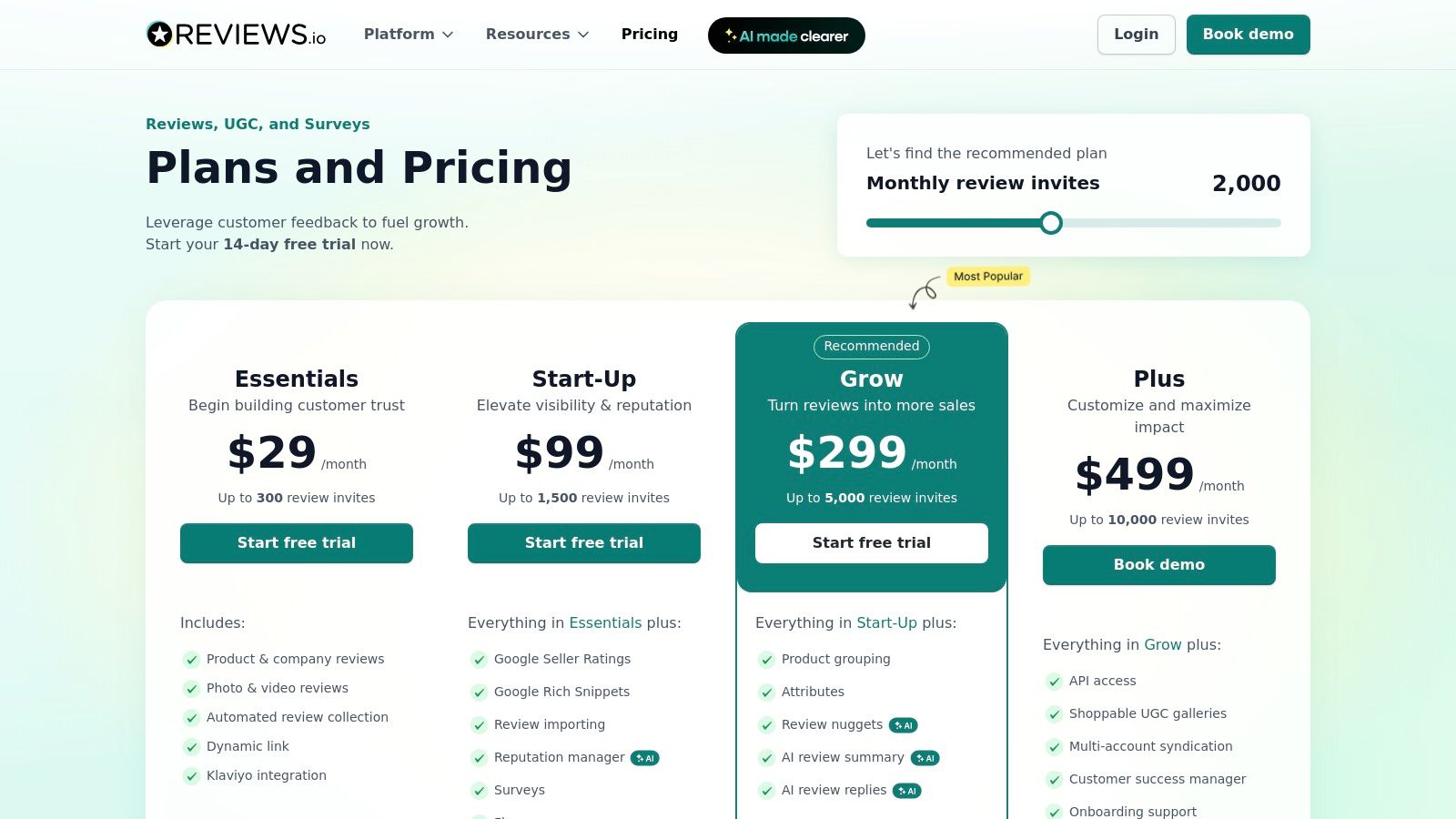
REVIEWS.io is a review tool made for online stores, and it’s great because its prices are clear and its plans are flexible. It's really good at collecting two types of reviews: one for your company and one for each product you sell. Then, it can share those reviews around the internet to help more people see them. One of its coolest tricks is turning customer photos into cool picture galleries on your website.
This tool is all about giving you control. The price is based on how many review invitations you send. This makes it a great choice for businesses that want to start small and ask for more reviews as they get bigger. It also works with Google Seller Ratings, which is a huge bonus if you use Google Ads, because it can make your ads work better.
How to Use REVIEWS.io for Your Search
The real magic of REVIEWS.io is how it focuses on pictures and product reviews, making it one of the best review management software options for online shops.
- Try it for Free: They have a free trial so you can test it out and see how it works for your customers.
- Connect Your Online Store: It’s easy to set up, and you can even bring in your old reviews from other places.
- Check Out the AI Tools: On the bigger plans, you can use AI to write summaries of your reviews or even help you write replies, which saves a ton of time.
Pro Tip: Look closely at the different price plans. The first one is a great deal, but the really cool stuff, like the shoppable photo galleries, is on the more expensive plans. The good news is that you can pay month-to-month, so you can try it without being stuck in a long contract.
Website: https://www.reviews.io/front/pricingplans
12. Yotpo
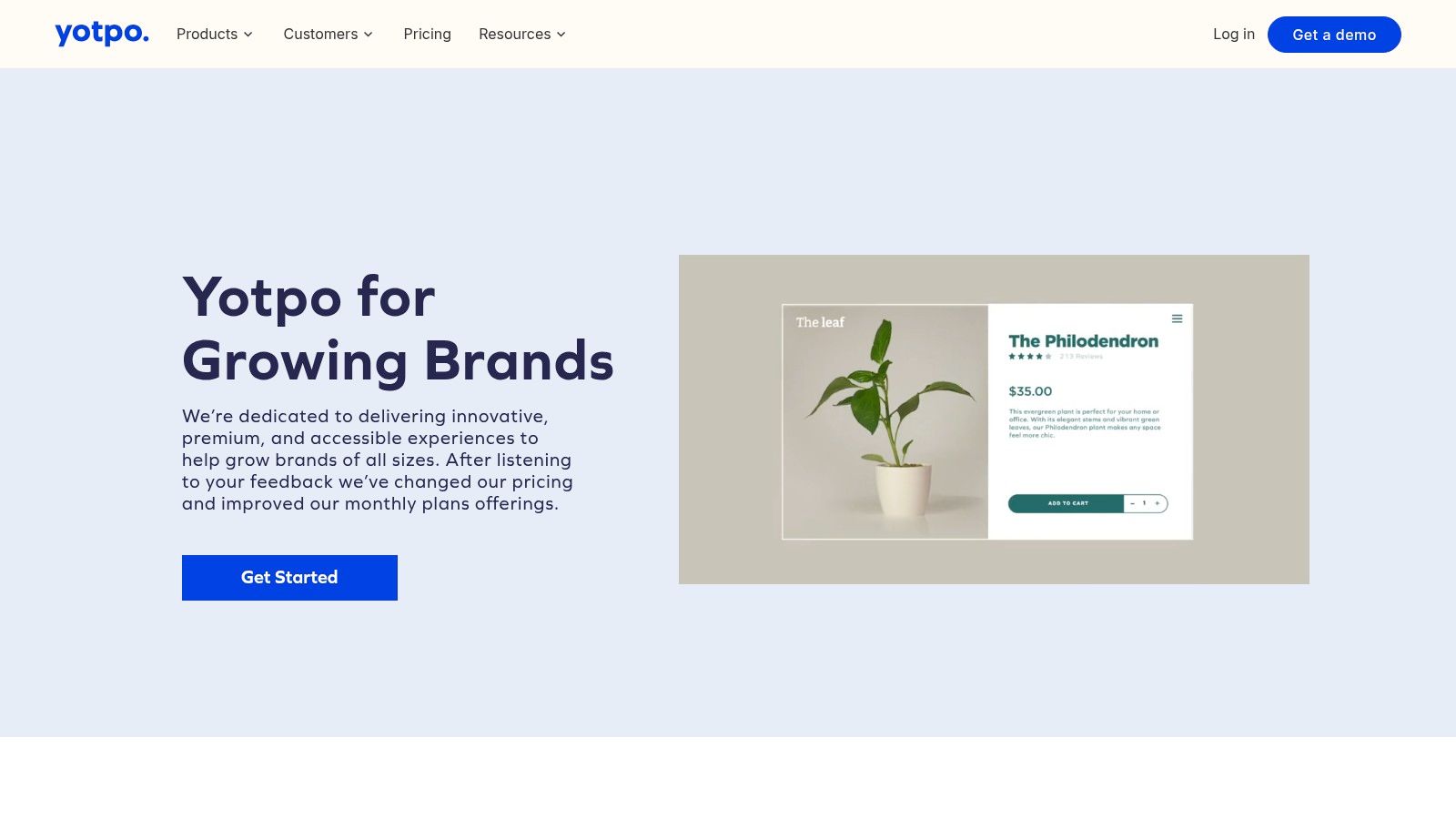
Yotpo is a super-popular tool in the online store world. It’s made for stores that want to use what their customers say to sell more stuff. It does more than just collect reviews. It has awesome tools for getting photo and video reviews, making a question-and-answer section on your site, and showing off reviews on your product pages. It connects easily with big online store platforms like Shopify.
What makes Yotpo a favorite for online sellers is its focus on pictures and videos. It helps you get photos and videos from your customers, which are way more powerful than just words. On the bigger plans, it also shares these reviews on Google Shopping, which helps more people see your products when they are searching to buy something.
How to Use Yotpo for Your Search
This tool is so strong because it fits perfectly with how people shop online. Its free plan is a great way for new stores to get started.
- Start with the Free Plan: If you're new, the free version lets you ask for reviews and put them on your site to start building trust.
- Use Pictures and Videos: Ask your customers to send in photos and videos with their reviews. Showing these on your product pages can help you sell more.
- Connect it to Other Tools: You can connect Yotpo with your email tool (like Klaviyo) to send even better emails asking for reviews.
Pro Tip: Yotpo's price can go up fast when you add more features like SMS messages or Google Seller Ratings. Think about which features will really help your store sell more. The free plan is fantastic, but be ready to pay more to get all the really powerful tools.
Website: https://www.yotpo.com/get-started-reviews/
Top 12 Review Management Software Comparison
| Product | Core features ✨ | Quality ★ | Value 💰 | Best for 👥 |
|---|---|---|---|---|
| 🏆 Authority Echo — Build Trust Faster With Automated Review Management | Discovery audit, AEO keyword map, on‑page schema + 3 schema‑ready articles, LinkedIn refresh, GHL automations, DFY prospecting, automated review mgmt, 24/7 AI receptionist | ★★★★☆ — early wins 30–45d; compounding 60–90d | 💰 Custom pricing; replaces multiple tools, high ROI vs paid ads | 👥 B2B consultants, service firms, founders, experts |
| G2 | Live category grids, verified user reviews, filters and side‑by‑side comparisons | ★★★★☆ — large, current review volume | 💰 Free to browse; vendors can sponsor listings | 👥 Buyers shortlisting review management vendors |
| Capterra | Buyer guides, pricing snapshots, comprehensive product lists and filters | ★★★★☆ — broad coverage and clear filters | 💰 Free to use; sponsored results appear | 👥 Buyers comparing many vendors quickly |
| GetApp | Category Leaders, verified review breakdowns, pricing/deployment details | ★★★★☆ — SMB-focused review insights | 💰 Free; practical shortlists, some demo-required pricing | 👥 SMBs seeking feature-focused shortlists |
| Shopify App Store (Product Review Apps) | Curated review apps, one‑click installs, "Built for Shopify" badges | ★★★☆☆ — varies by app | 💰 Many freemium options; native app billing | 👥 Shopify merchants / ecommerce stores |
| Birdeye | Review generation & monitoring, listings, messaging, AI responses, social publishing | ★★★★☆ — strong multi‑location depth | 💰 Quote-based; scales by location & add‑ons | 👥 Local & multi‑location businesses |
| Podium | SMS review capture, webchat, centralized inbox, payments & campaigns | ★★★★☆ — excellent SMS workflows | 💰 Quote-based; SMS/10DLC fees possible | 👥 Local retailers, service businesses |
| Trustpilot Business | Public reviews, automated invites, TrustScore analytics, widgets & integrations | ★★★★☆ — strong consumer recognition | 💰 Published tiers; often requires longer contracts | 👥 Consumer-facing brands seeking public trust |
| Reputation (formerly Reputation.com) | Centralized monitoring, response templates, analytics, syndication | ★★★★☆ — enterprise-grade features | 💰 Custom enterprise pricing (sales-led) | 👥 Large multi-location brands & enterprises |
| ReviewTrackers | 100+ sources tracking, solicitations (email/SMS), dashboards, AI reply assist | ★★★★☆ — solid monitoring & alerts | 💰 Quote-based; add-ons may increase cost | 👥 Multi-location businesses, local chains |
| REVIEWS.io | Invite-based pricing, AI summaries/replies, UGC galleries, Google Seller routing | ★★★★☆ — ecommerce-friendly, transparent pricing | 💰 Clear USD tiers; month‑to‑month options | 👥 Ecommerce brands wanting flexible billing |
| Yotpo | On-site widgets, photo/video reviews, social push, Google Seller integrations | ★★★★☆ — strong ecommerce integrations | 💰 Free tier available; advanced features increase cost | 👥 DTC & ecommerce brands scaling reviews |
So, Which Tool is Your Perfect Match?
Wow, we've looked at a bunch of cool tools! From the research helpers like G2 and Capterra to the local business superstars like Podium and Birdeye. We saw how special apps on Shopify can make online stores more trustworthy, and how giants like Trustpilot and Reputation handle reviews for huge companies. It can seem like a lot, but picking the right tool is actually pretty simple. Finding the best review management software for you starts with one easy question: what is the biggest problem you need to solve?
If you just want to see what people are saying, a tool like ReviewTrackers is great. If you need to get more reviews and text your customers, Podium is a fantastic choice. But if you want to turn your happy customers into a machine that automatically builds trust and brings you more business, then you need to think differently.
Key Takeaways: How to Make Your Choice
Picking the right tool isn't about getting the one with the most bells and whistles. It's about finding one that fits your business. A plumber has very different needs than a big software company!
Here’s a simple guide to help you decide:
- For Local Service Businesses: You want to get more reviews on Google and Yelp. Look for tools that are great at sending review requests by text message and are easy to use on your phone. Podium and Birdeye are perfect for this.
- For E-commerce Stores: You need product reviews, especially ones with pictures and videos. You need a tool that works smoothly with your online store. Yotpo and REVIEWS.io were made for you.
- For B2B Companies & Agencies: Your reputation is built on sites where other businesses look. You should focus on getting reviews on places like G2 and Capterra.
- For Founders & Consultants: You are selling your smarts, not just a product. You need a system that automatically gets feedback from clients and turns it into amazing stories and proof that you're the best. This is more than just a simple review tool.
Your Actionable Next Steps
Feeling a little lost? Don't worry! Just follow these easy steps.
- Decide Your #1 Goal: Is it to get more Google reviews? To get a better star rating? Or is it to have a system that does all the work of showing off how great you are to get more customers? Write it down.
- Look at What You Do Now: How do you ask for reviews today? Do you do it by hand? Do you forget sometimes? Knowing where you're starting from helps you see where you can get better.
- Pick 2-3 Tools: Based on the groups above, pick two or three tools that seem like the best fit. Don't look at ten of them, or you'll get confused!
- Ask for a Demo of Your Favorite: See the software in action. Ask questions about your #1 goal. Can it do exactly what you need?
Remember, the best review management software is the one you’ll actually use. A fancy, expensive tool that you never open is worthless. Pick something that’s easy, automatic, and will help your business grow. Your reputation is your most important thing; getting a tool to protect and grow it is one of the smartest things you can do.
Ready to skip the complexity and implement a system that not only manages reviews but turns them into an automated trust-building engine? Authority Echo provides the strategy and done-for-you service that makes customer proof the cornerstone of your growth. See how we can help you build visibility and attract more qualified leads at Authority Echo.