How to Optimize for Voice Search in 2024

Want to show up when people talk to their phones? You have to think a little different. Forget short, typed-out words. You need to write stuff that answers the real questions people say out loud. The big idea is to make your website super fast, work great on phones, and use a little bit of special code so a robot helper can grab your info in a flash.
Why Voice Search Is Changing Everything
Picture this. A customer asks their phone, "Where's the best pizza around here?" and boom! Your restaurant's name is the first thing they hear. That’s what voice search can do. It’s not some weird future thing; it’s happening right now, all day long.
Lots and lots of us are talking to our speakers, our phones, and even our cars instead of typing. This huge change from using our fingers to using our voice totally changes how your business gets discovered.
The New Way People Find You
This is a really big deal. People just love how easy it is to ask a question while they're doing other stuff, like cooking or driving. It's so simple! And that's opened up a whole new world for businesses that are ready for it.
The whole point is this: if you want to be the answer someone hears, you have to be ready for their question. Your website needs to give super clear, simple answers that a robot helper can find and read out loud.
The numbers are pretty wild. People are buying a lot more stuff using their voice. It went from $1.8 billion way back in 2017 to what they think will be $151.39 billion by 2025. Whoa! That shows how much people trust talking to their gadgets to help them shop.
And since there will be over 8.4 billion robot helpers in the world by 2025, you really can't ignore this. You can check out more insights about voice commerce trends to see what this could mean for you.
From Typing to Talking to Buying
The way customers find and buy things is way simpler now. This picture says it all—it shows how people go from a keyboard to buying something, just by talking.
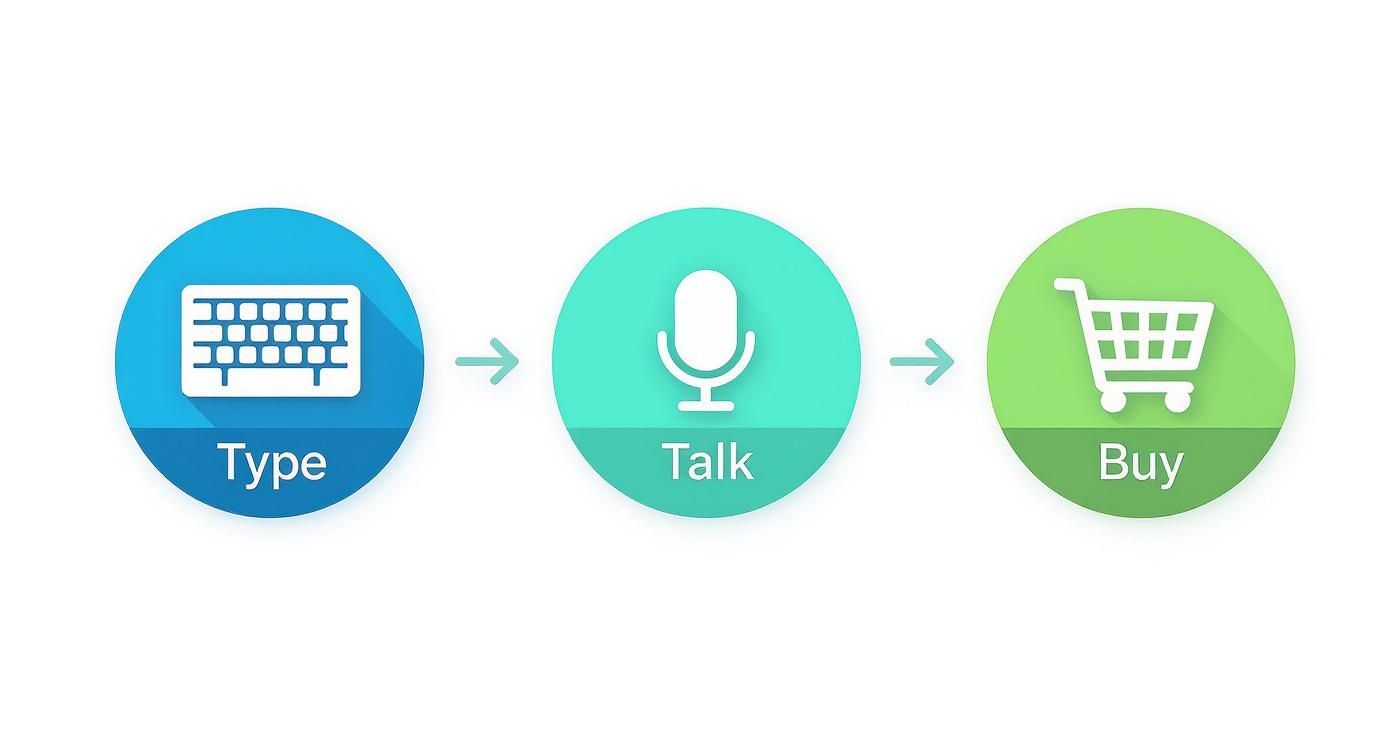
What's the main thing to remember? Talking is now a straight line to buying stuff. Your plan has to change. This guide will show you exactly how to do it, one step at a time.
Thinking and Talking Like Your Customers
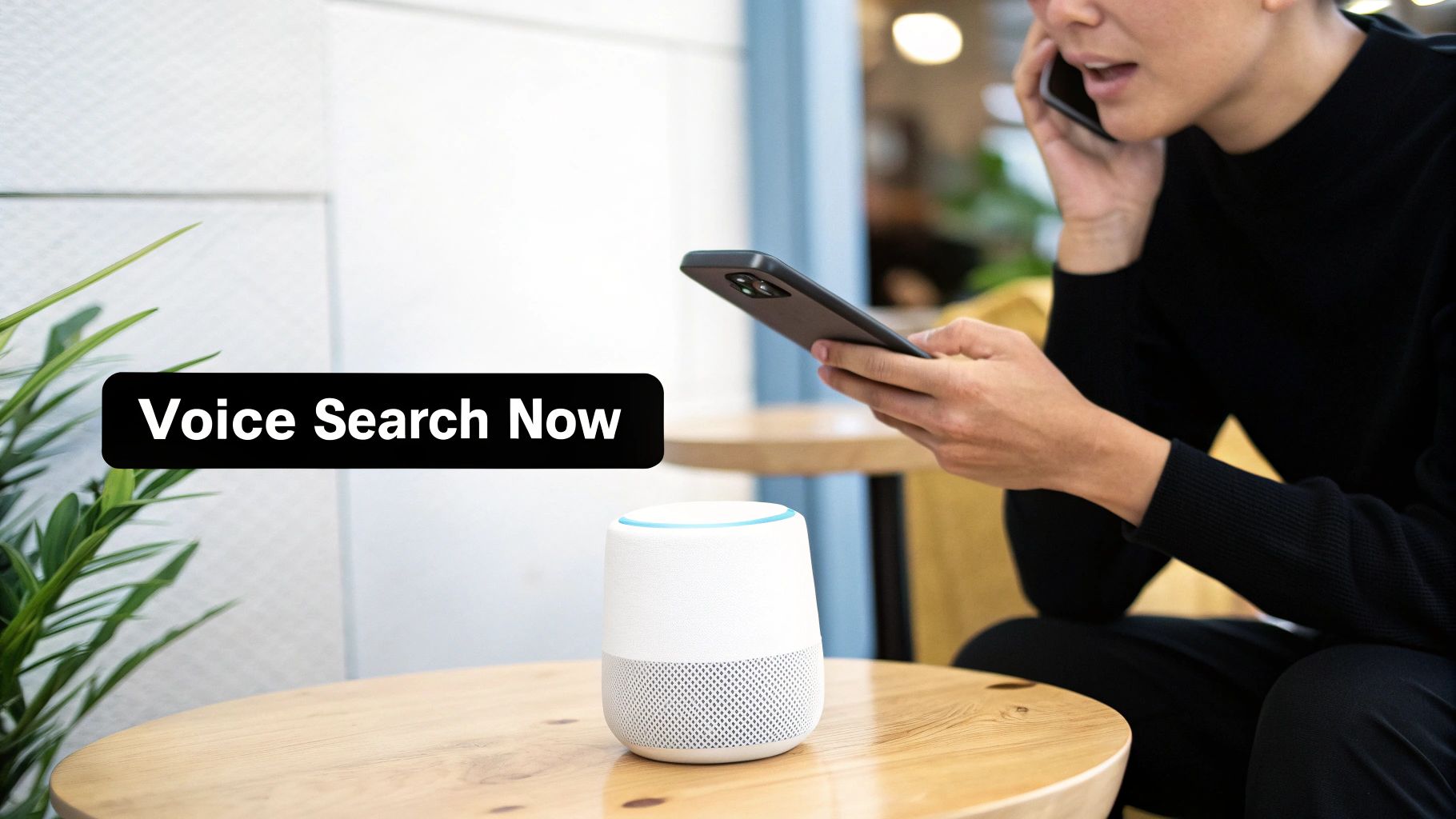
Let's get one thing straight. When we type, we're in a hurry. We type short things like "pizza near me" or "best running shoes." It’s like sending a quick text message to Google.
But when we talk to our phones or a smart speaker? Everything changes. We use whole sentences, like we're talking to a person. That same pizza search becomes, "Hey Google, what's the best pizza place that's open right now?" It's a real conversation.
This is the most important thing to get if you want to know how to optimize for voice search. You have to stop thinking about little keywords and start thinking about real questions. Your job is to guess the exact words your customer says out loud when they need something you sell.
Finding Your Customer's Questions
So, where do you find these awesome questions? Good news: you don't need fancy, expensive tools. Some of the best ways are super easy and free. You just have to know where to look.
One of my favorite tricks is to just use Google. Go to Google and start typing a question a customer might ask, like "how to fix a leaky faucet..." But don't press enter! Just wait. Google will show you a list of other popular questions people are searching for.
These aren't just random guesses; they are real questions from real people.
- Try typing "can I..."
- Then add a word about your business, like "can I paint..."
- Look at what Google suggests, like "can I paint vinyl siding" or "can I paint kitchen cabinets without sanding."
This simple trick is like finding gold because it shows you exactly what your customers are saying. Another great place to look is the "People Also Ask" box you see in Google. It’s like getting a secret look inside your customers' minds.
Understanding What People Really Want
Once you have a list of questions, you need to figure out what someone really wants when they ask them. We call this what the user wants. Are they just looking around for info, or are they ready to buy something right now?
Imagine a bakery. Someone asking, "how to bake sourdough bread," just wants a recipe. They are looking for information. They want to learn something.
But what about the person who asks, "where can I buy fresh sourdough bread near me?" That's totally different. They are ready to buy. They want to spend money.
Getting this right is the most important part. If you give a recipe to someone who wants to buy bread, you lost them. The robot helpers are smart enough to know the difference, and they will always pick the website that gives the best, most direct answer.
Matching Answers to What People Want
To win at voice search, you have to make different kinds of web pages that match what people want. It’s all about being the right answer at the right time.
For People Who Want Information:
- Write helpful blog posts that answer "how-to" questions.
- Make guides or easy step-by-step instructions.
- Make a good FAQ page that answers common questions.
For People Who Want to Buy:
- Make sure your pages about your products are super clear.
- Put your address, hours, and phone number where everyone can see them.
- Show off good reviews from real customers to make people trust you.
By putting questions into these two groups, you can make stuff that's perfect for what the person is looking for. This makes it super easy for Siri, Alexa, or Google's helper to see your website as the best answer and share it.
Write Content That Gives Direct Answers
Siri and Alexa are smart, but they're also a little lazy. When someone asks a question, they want to find the fastest, clearest, and most direct answer they can. Your job is to make your website the best place for them to get it.
This means you need to write like you talk—like you're explaining something to a friend. It’s a big change. You're not just writing for people reading on a screen anymore; you're writing for a robot that has to read your words out loud.
Think about it like this: a robot helper won't say, "Well, if you look at the seventh paragraph of this really long article..." Nope. It finds a short, clear answer and says it like it's a fact. Your website needs to be where it finds those little facts.
Build a Home for Answers with an FAQ Page
One of the easiest and best tools for voice search is an FAQ page. That's a special page on your website made just to answer real questions from your customers.
This is your chance to answer all those questions we found earlier. Instead of hiding answers in a long blog post, you’re putting them right out in the open for search engines and their robot helpers.
- Solve Real Problems: Don't just guess. Look at your emails, listen to what people ask on the phone, and check your social media to find the questions people really have.
- Keep It Simple: Make the page with one question and then a short, simple answer. Use big, clear titles for each question so it's easy to look through.
- Write Like a Person: The answer to "What are your hours?" shouldn't be a long story. It should just be, "We're open from 9 AM to 5 PM, Monday through Friday."
This simple question-and-answer style is exactly what robot helpers look for. It helps them match a spoken question to the words on your page and read your answer back.
Structure Your Content for Easy Scanning
Nobody wants to read a giant wall of text, not even robot helpers. You have to break up your articles with simple titles and short paragraphs. This makes them easy to look at for both people and computers.
Imagine you’re building with LEGOs. Each paragraph is a little brick. Each title is a sign that tells you what’s coming next. This clear setup helps a robot helper find the exact piece of information it needs.
When your stuff is easy to read, it’s also easy for a computer to understand. For a robot helper, that clearness is like finding treasure. It tells them your page has a good answer it can use.
Funny enough, this doesn't mean your articles have to be short. Actually, really long and detailed articles often do better in voice search. Pages that show up for voice questions are usually around 2,312 words long. This shows that the robot helpers like to get answers from deep, trustworthy places.
But here's the crazy part: the actual answer they speak out loud is often super short—around 23 words for a local question. So, it's a mix. You need to be seen as an expert with long articles, but also have quick, easy answers inside them. You can discover more insights about these voice search stats to see how this works.
Real-World Examples of Winning Content
Let’s see how this works for real. Imagine a company that sells natural cleaning stuff. An old blog post might be called, "Our New Products." So boring. It doesn't answer anything.
A blog post made for voice search would have a title like, "How to Clean Your Kitchen Without Icky Chemicals." See the difference? It’s a direct answer to a question someone would actually ask.
Inside that article, you’d find clear titles like:
- What Is the Best Natural Cleaner for Grease?
- Can You Use Vinegar to Clean Counters?
- Making Your Own All-Purpose Cleaner
Each part would then give a simple, direct answer in the first sentence or two, with more details after that for the person reading. This setup is perfect for getting picked by Google for a featured snippet, which is often where voice search answers come from.
By writing this way, you’re not just helping your human readers—you’re basically giving the perfect script to Siri and Alexa.
Making Your Website Voice Friendly

Okay, let's talk about the computer stuff, but I promise to keep it simple.
Think of your website like a race car. You can have the coolest paint job (your words), but if the engine is slow and messy, you’re not going to win. This is extra true for voice search.
Siri, Alexa, and Google's helper are all about speed. They need to find an answer, grab it, and say it in less than a second. If your website takes forever to load, they'll just go to the next one. It's that simple.
So, the first thing you have to do is make your site fast. Really, really fast.
Speed Up Your Site For Voice
When someone asks a question out loud, they want an answer right away. A slow website is the biggest enemy of a good voice search plan. You’ve probably heard it before—even a one-second delay can make you lose customers. For voice, that delay means you might not even get a chance.
You also have to remember where people are searching: on their phones. People are walking around, using their phone's internet to ask for directions or find something out. This means your website has to work perfectly on a little screen.
Here are a few techy things that matter a lot:
- Made for Phones: Your site needs to look and feel good on a phone. No weird pinching or zooming.
- Loads Fast: Make your pictures smaller and your code clean. A robot helper has no patience for a giant photo to download.
- Simple Buttons: Buttons should be easy to tap and menus should be super simple. If a person thinks it's confusing, a robot definitely will.
Here's an easy test: if your website is annoying to use on your own phone, it's a total failure for voice search. Make it clean, quick, and easy.
Use Schema Markup: The Secret Code
Now for the really cool part: Schema Markup. I know, it sounds super techy, but it's not. Think of it like giving robot helpers a cheat sheet for your website. That’s all it is.
It’s just a little bit of special code you add to your site that tells search engines exactly what your words are about. Instead of them guessing what a bunch of numbers means, you’re telling them.
For example, you can use this code to label important stuff like:
- Your address and phone number
- Your store hours
- Prices for your stuff
- Customer ratings and reviews
- The steps in a recipe or a how-to guide
When a robot helper sees this special code, it can grab that information and be 100% sure it's right. It knows that "9 AM - 5 PM" are your business hours, not just some random words. This makes it super easy for them to use your site as the best place for an answer.
Why Security and Trust Matter
Last thing: trust. Search engines want to send people to websites that are safe. This is even more important for voice search, because the robot helper is basically saying, "I trust this one answer."
This is why having a safe website (one that starts with "HTTPS") is a must. In fact, studies show that about 70% of voice search results come from these safe sites. Using that special code to give clear info also builds trust. It tells search engines you’re a real, good source, which helps you show up higher and makes it easier for the robots to use your info. If you want to learn more, check out these facts and figures about voice search optimization.
By making your site fast, good for phones, clearly labeled with that secret code, and safe, you’re building the perfect runway. You’re giving robot helpers everything they need to pick your answer and share it with everyone.
Winning the Local 'Near Me' Search Game
So many voice searches are just about one simple thing: finding something nearby. We’ve all done it. We ask our phones things like, "find a coffee shop near me," or "where's a hardware store that's open now?"
These are the 'near me' questions, and if you have a local business, this is where you can be a star.
It's a huge deal. Almost 75% of local searches will probably happen with voice by 2025. This isn’t just a little thing; it's a giant wave of customers looking for local stuff right now. Being the first name they hear is like finding a treasure chest.
Your Most Important Local Tool
The first—and most important—step is to get and fill out your Google Business Profile (GBP). Think of it as your online sign for anyone searching nearby. It's the free thing that shows up in Google Maps and local searches, and you absolutely must have it.
A robot helper like Google Assistant uses your GBP as the ultimate source of truth. When it needs your hours, address, or phone number, this is the first place it looks. If that info is missing or wrong, you're basically invisible.
- Fill Out Everything: Don't just put your name and address. Add your hours, what you sell, photos, and a clear description. Every empty spot is a chance you're missing.
- Choose the Right Category: Be specific. If you're a "pizza place that makes Neapolitan pizza," pick that instead of just "restaurant." This one choice helps Google match you to the exact things people are asking for.
Keep Your Information the Same Everywhere
Once your Google Business Profile is perfect, you have to make sure that same exact info is everywhere else online. This is about keeping your NAP (Name, Address, Phone Number) the same all over the internet.
Imagine you told one friend you lived on Main Street and another you lived on Main Avenue. That's confusing. The same thing happens with search engines. If your business is called "Joe's Pizza" on your website but "Joe's Pizzeria" on Yelp, the computer gets confused.
Search engines like it when everything is the same because it shows you're trustworthy. A business with the same info on lots of websites is seen as more real and is way more likely to be suggested in a voice search.
And it has to be exactly the same. I mean every single letter. Even tiny differences, like "St." instead of "Street" or using a different phone number, can mess things up. Make a list of your correct info and use it everywhere.
The Power of Customer Reviews
What's one of the first things you do before trying a new place? You check the reviews. Robot helpers know this, and they pay a lot of attention to what your customers are saying about you.
When someone asks, "what's the best coffee shop near me?" Google doesn't just guess. It looks at ratings and reviews to figure out what "best" really means. A business with a lot of new, good reviews is showing everyone that it’s a great choice.
Ask your happy customers to leave a review. You don't have to be pushy. You can just add a link to your Google review page on your receipts or in an email you send later. These reviews build trust that both people and computers can understand.
How Do You Know If It’s Actually Working?
You’ve done all this work, but here’s the big question: how do you know if your voice search plan is really working? Figuring this out isn't about getting lost in a bunch of charts. It’s about knowing what to look for and making smart little changes to get even better.

The easiest place to start? Your own phone. I'm serious. Pick it up and ask it the same questions you want your customers to ask.
Let's say you're a plumber. Try asking Siri or Google, "Who can fix a leaky pipe near me?" What pops up? Is your business the answer? This simple, real-world test gives you a quick look at what your customers are seeing.
Digging Into Your Website Data
Next, it’s time to take a little peek at your website's data. Tools like Google Analytics can look scary, but you only need to check a couple of simple things.
Start by looking for pages that are getting a lot of visitors from search engines. Is that new FAQ page you made suddenly getting lots of visitors? That’s awesome! It’s a clear sign that your answers are helping people with their real questions.
Don't get lost in all the numbers. Just look at one or two simple things, like which of your blog posts or question-and-answer pages are the most popular. This tells you exactly what kind of stuff your visitors want to see more of.
The numbers show this is true. A huge 71% of people now like to speak their questions instead of typing them. And since more people are using voice search all the time (it's growing by 9% every year), paying attention to what's working is the only way to stay on top. You can explore more voice search statistics to see just how big this change is.
Making Small Tweaks for Big Wins
Once you see what people like, you can do more of it. This is where you turn what you've learned into real actions.
- Update Your Best Stuff: If an old blog post is still getting visitors, make it even better. Add new info, explain things more, and give it more question-style titles.
- Do More of What Works: Did an article about "how to pick the right paint color" do really well? That's your clue to make more articles about other home projects.
- Keep an Eye on Snippets: Check Google a lot to see if your site is getting any of those little answer boxes at the top of the page. Those are often the exact source for voice search answers.
Getting ready for voice search isn't something you do just once. It's something you keep doing: listening, trying things out, and making small, smart changes over time.
Still Have Questions About Voice Search?
Still have some questions about voice search? You're not the only one. This is all pretty new for a lot of people, so it's smart to want to know more before you start.
Let's answer some of the most common questions I hear. That way, you can feel good about your plan.
What’s the Real Difference Between Voice and Regular SEO?
Think of it like this: regular SEO is for people typing short words into a search bar. Voice search is all about answering full questions that people say out loud.
With voice, you have to focus on regular, everyday talking and giving one single, simple answer. The whole goal is to become the best answer that a smart helper can read back to a person.
Of course, lots of the old SEO rules still matter—like having a fast website. But changing from thinking about keywords to thinking about questions is the biggest change you need to make.
How Long Until I Actually See Results?
Ah, the big question! Let's be honest: this isn't a super quick fix. You'll probably see the first little signs of it working in about 30 to 45 days, especially if you're fixing up your local search info and your Google Business Profile.
But the really good, lasting results? Those usually start to show up between 60 and 90 days. That’s when the search engines really start to see and trust your site as a great place for answers.
You have to be patient. Voice search is a long game that's all about being consistent. Keep making helpful, answer-focused pages, and the results will come.
Do I Need a Smart Speaker to Test My Work?
Nope, not at all. You already have the best tool for testing right in your pocket.
Just use the voice helper on your smartphone—Siri, Google Assistant, whatever you have. Ask it the same questions you're trying to get answers for. It’s the easiest, most direct way to check if what you're doing is actually working.
More and more businesses are figuring this out. In fact, more than half of companies have already started using voice search in their plans. A popular trick is to write at about a 9th-grade reading level, which makes sure the words are simple enough for anyone—and any robot—to understand and say out loud. You can read more about these voice search business trends to see how everything is changing.
Ready to become the "best answer" when your customers ask? Authority Echo turns your expertise into top-ranked voice search results and inbound leads without paid ads. Start with a free visibility audit to see how AI and search engines see you now. Get your free audit at Authority Echo.