Your Super Simple LinkedIn Plan to Find New Customers
So, you want to use LinkedIn to find people who need your help? Cool. Your whole plan starts with your profile. It shouldn't feel like a boring old resume. It should feel like you're shaking someone's hand and smiling. The big idea is to make people want to talk to you. This is all about making friends before you ever ask for anything.
Make a Profile That People Actually Like

Before anyone even thinks about buying what you sell, they need to know who you are. Your LinkedIn page is like the first time you meet someone. And you only have a few seconds to show them you're interesting. People like to buy things from people they know and trust. Your profile is where that all begins.
Think about it. What if some random person with no picture and a weird job title sent you a message? Would you open it? Nope. It looks like junk mail. So, making your profile look good isn't just for fun. It’s the most important part of finding new customers.
Your Headline Is Your Welcome Sign
This is the most important sentence on your whole page. It shows up everywhere! When people search for you, when you ask to connect, when you leave a comment. Most people just put their job title there, like "Boss at My Company." That tells people what you are, but not how you can help them.
Your headline needs to be a tiny little ad for you. It has to answer the big question everyone has: "What can you do for me?"
Boring Headline: Sales Person at Tech Place
Awesome Headline: I Help Cool Apps Get More Users So They Can Grow!
Boring Headline: Money Guy
Awesome Headline: I Show Families How to Save Money Without Making It Super Complicated
See? The second one talks about a real problem and promises to fix it. It starts a chat before you even say hi.
Tell a Story in Your "About Me" Part
This is where you can be a real person. Please, please, please don't just list a bunch of boring skills. Nobody wants to read that. Instead, tell a story that makes your perfect customer think, "Hey, this person gets me!"
Here’s a simple way to do it that works like magic:
- Start with a Bang: Say something that talks about their biggest problem.
- Show You Get It: Let them know you understand what they're going through.
- Share the Fix: Quickly explain how you solve that problem.
- Show It Works: Mention a quick win or a happy customer.
- Tell Them What's Next: Say something simple like, "Send me a message if you want to chat about..."
Your profile isn't just you bragging about how great you are. It's the start of a chat with your future customers. Make it all about them, not you.
Look Nice with Your Pictures
Your profile picture and the big picture at the top are super important. They show if you're professional and what you're like, even before someone reads anything.
For your main picture, keep it simple. We need a nice, clear picture of your face where you're smiling. No pictures from your vacation or with your cat. This isn't Facebook; it's a place to show you're good at your job.
That big banner picture is like a giant billboard. Don't leave it blank! You can use a free tool like Canva to make a simple banner that matches your headline. Maybe put your company's name on it, a cool saying, or a picture of you doing your job. It's a small thing that makes you look like you really care. And that makes people trust you.
Okay, your profile looks great. Now for the big question: what in the world do you post?
If you're like most of us, this part feels a little scary. But guess what? You don't have to be a super writer or a movie maker to post things that work. The secret is to stop trying to sell stuff and start trying to help people.
Think of LinkedIn like a big party for people in your industry. You wouldn't run in and start yelling about what you sell, right? Of course not. You’d listen to a conversation, share a good idea, or tell a funny story. That’s exactly how you should think about your posts.
The whole goal is to give, give, give. Share what you know. For free. This is how you get people to trust you and see you as the person to go to for help. When people see you show up every day with helpful things, they start to believe you really know your stuff.
So, What Do You Actually Post?
Staring at a blank screen is the worst. Let's make this super easy. You don't have to come up with a brand new idea every single day. The best ideas come from things you already know or do.
Here are a few easy ideas to get you started:
- Share a Quick Tip: What’s one little thing you learned that made your job easier? Maybe a secret button on your keyboard or a mistake you see lots of people make. Share it!
- Tell a Short Story: Talk about a time you helped a customer with a problem. You don't have to say their name. Just talk about the problem and how you fixed it. People love stories.
- Ask a Question: This is the easiest way to get people talking. Ask what they think about something new in your industry. Or ask, "What's one thing you wish you knew when you first started out?" People love to share their ideas.
Your posts don't need to be perfect. They just need to be helpful. Stop worrying and start sharing. The stuff you know is super valuable to other people.
Remember, people scroll really fast on LinkedIn. Your job is to make them stop. Short sentences, easy words, and one big idea will always be better than a huge wall of text.
Get into a Simple Posting Groove
Listen, you don't need to post five times a day. That's how you get super tired, and it's not even needed. What you do need is to be consistent.
Find a schedule you can actually stick to. Maybe that’s two or three times a week. How often you post is way less important than just showing up regularly.
Let's be real: posting stuff is the engine of this whole linkedin lead generation strategy. It’s what brings people to you and shows them you're helpful long before you ever ask to connect. When you post helpful things all the time, something amazing happens—people start coming to you.
This is where LinkedIn is way better than other places for businesses. It's said that LinkedIn is where 80% of all business leads come from on social media. It's the king! And with almost 97% of business marketers using it to share things, it's clear that you have to bring something good to the table. You can learn more about why LinkedIn is so awesome with these B2B marketing statistics on brentonway.com.
The Give, Give, Ask Idea
This is a simple but powerful plan for what you post. For every three things you post, two should be just giving away helpful stuff. Only one should have a little "ask."
Here’s how it works:
- Give Post #1: Share a helpful tip, a cool article, or a story with a lesson. The only goal is to teach or make someone feel good.
- Give Post #2: Talk about something new in your industry or share a happy customer story (make sure to ask them first!). Again, no selling.
- Ask Post: This is not a big sales pitch! Your "ask" could be as simple as asking people to comment with their thoughts, or saying you have a few spots open for a free chat.
This way, you're building up lots of good feelings most of the time. When you finally do ask for something small, people are way more likely to listen because you've already given them so much. It turns your posts from a boring ad into a fun conversation—and that's where the magic is.
Find and Say Hi to the Right People
Okay, your profile looks great and you're sharing helpful stuff. Now what? It's time to stop waiting for people to find you and start going out to find them. This is where your linkedin lead generation strategy really gets exciting.
But let's be clear. This is not about sending tons of boring connection requests to everyone. That's like throwing your business cards at strangers. It's weird and it doesn't work.
Instead, we're going to be smart. We'll find the exact right people who need what you have and start a conversation like a normal person. The goal is to make friends first, not just find customers.
Be a LinkedIn Detective
LinkedIn's search bar is your secret superpower. Most people don't use it very well, but you can use it to find your perfect customers.
Let's say you help dentists get more patients. You wouldn't just search for "dentists." That's too big. You can be way smarter.
Think about who you want to talk to:
- What's their job title? Maybe "Dentist," "Practice Owner," or "Office Manager."
- Where are they? You can search by city or state.
- What field are they in? "Health Care" or "Medical" are good places to look.
By using these simple filters, you can turn a huge crowd of people into a small list of really good people to talk to. You’re not just yelling anymore; you’re talking right to the people who want to hear from you. This one simple step can change everything.
How to Ask Someone to Connect
Once you have your list, it's time to say hello. Sending a connection request with no message is a big no-no. It basically says, "I'm too lazy to type one sentence for you."
You always, always want to add a little note. But what do you say? The best notes are short, nice, and about them, not you.
Here are a few simple ideas that work really well:
- You Have Something in Common: "Hi [Name], I saw your post about [something they wrote] and I really liked it. Would love to connect."
- You're in the Same Group: "Hi [Name], I see we're both in the [LinkedIn Group Name]. I like connecting with other [their job title] here."
- A Simple Compliment: "Hi [Name], I found your profile and was really impressed with your work at [Their Company]. Hope we can connect."
See the pattern? None of these try to sell anything. The only goal of the connection request is to get them to click "Accept." That's all. You can have a real conversation later.
A personal connection request isn't about selling. It’s about showing you paid attention. It's a little sign of respect that opens the door for a real chat.
After They Connect: The Friendly Follow-Up
They accepted! Awesome. Now, please, don't jump into their messages with a huge sales pitch. That’s the quickest way to get ignored.
Remember the "Give, Give, Ask" idea from before? It works here, too. Your job is to give them something helpful first.
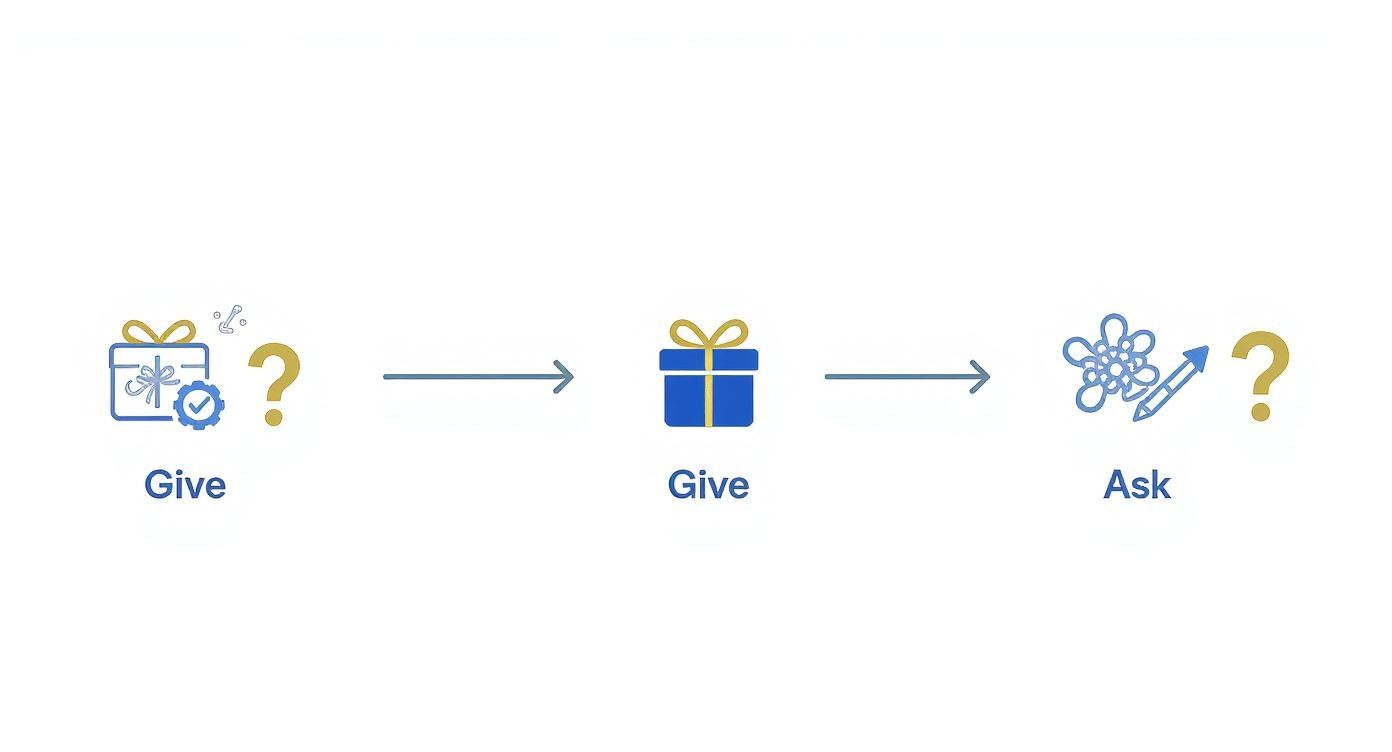
This simple picture reminds you: give something helpful two times before you even think about asking for something. It’s about building a friendship, not just making a sale.
You need a gentle plan for following up that builds a good feeling. This isn't about being pushy; it's a patient game of building trust, one little message at a time. Using LinkedIn search is a big help here. There are over 1 billion people on LinkedIn, and companies can use filters to find the best ones. Someone could search for “Marketing Boss” AND “Software” to find the right people in a certain industry, making their list of people to talk to way better. This matters a lot, and if you want to see how much, check out these cool lead generation statistics on inbeat.agency.
A simple, friendly messaging plan is the best way. Here’s what that might look like.
A Simple 3-Step Plan for Messages
| Step | When to Send | What to Say |
|---|---|---|
| 1: Say Thanks & Give a Gift | 1 day after connecting | Thank them and give them something helpful for free. Example: "Thanks for connecting, [Name]! I saw you work with [Their Industry] and thought you might like this article about [something interesting]. No sales pitch, just sharing. Have a great day!" |
| 2: Ask a Question | 3-4 days later | Ask a simple question about their job or industry to start a chat. Example: "Hey [Name], quick question. How is your team dealing with [a new challenge in their field]? Just curious what other people are seeing." |
| 3: The Gentle Ask | 5-7 days after Step 2 | If they've been chatting back, you can softly see if you can help. Example: "That makes a lot of sense! It sounds like the same problems we help people with. If you're ever curious, I'd be happy to share a few ideas on how we fix [their problem]. No pressure at all." |
This way, you're being a real person. You're starting a chat, not a speech. You’re listening for what they need instead of just guessing. And that’s how you turn a simple connection into a real customer.
Turn Friendly Chats into Booked Calls
This is where all your hard work pays off. You've made your profile look great, shared helpful stuff, and started a real conversation. So, how do you turn that friendly chat into a meeting on your calendar?
If you do this wrong, you can sound pushy and ruin the friendship you've built. But if you do it right, your whole linkedin lead generation strategy starts making you money. The secret is to think about "helping," not "selling." You're not trying to trap someone in a sales call; you're just offering to keep a good conversation going.
Look for the Green Light
The right time to ask for a call isn't just random. It’s when the other person gives you a signal. Your job is to read their messages and listen for "pain signals."
These are little clues they give you that they're frustrated, stuck on a problem, or have a goal they can't seem to reach.
You'll see phrases like:
- "We're really struggling to figure out..."
- "I'm so tired of how long it takes to..."
- "I wish we could just find an easier way to..."
When you see those words, that's your sign. It's the green light that tells you they have a problem, and they know they have a problem. Asking for a call before they admit they need help is like offering a life jacket to someone sunbathing. It's just weird.
Make the Call Sound Like a Gift
Once you know their problem, how you ask for the call is super important. Your words have to be calm, not pushy, and all about them. You want them to feel like you’re doing them a favor.
Stay away from pushy sales words that make people put their walls up.
| Don't Say This (Too Pushy) | Say This Instead (More Helpful) |
|---|---|
| "Can I book you for a 30-minute demo?" | "Would you be open to a quick 15-minute chat to talk more about that idea?" |
| "Let me show you how our thing works." | "Happy to share a few ideas on how we've helped others with that same problem, if that's helpful." |
| "Are you free to talk next week?" | "No pressure at all, but if you want to brainstorm some ideas, feel free to pick a time on my calendar." |
See the difference? The "helpful" side uses softer words like "open to," "if that's helpful," and "no pressure." It gives them an easy way to say no, which, funny enough, makes them way more likely to say yes. You're not a pushy salesperson; you're a helpful expert offering some free advice.
The best way to get a meeting is to make it sound like a generous offer, not a sales pitch. Make it seem like a chance for them to get something good, with no strings attached.
Make Booking a Call Super Easy
Once they say yes, your job is to make it as easy as possible to schedule the call. The last thing you want is a bunch of emails back and forth saying "How about Tuesday?" "Nope, I'm busy." That's how you lose all the good feelings.
This is where a simple calendar tool is your best friend. Tools like Calendly or SavvyCal make it super simple. You just tell it when you're free, and it gives them a link to pick a time.
When you offer the call, you can just add:
"Great! Feel free to grab a time that works for you here: [your calendar link]."
This puts them in charge and gets rid of all the annoying back-and-forth. It’s a small thing that shows you respect their time and that you're organized. It makes the last step super easy.
See What Works and Do More of It
So, you’re sending messages and posting things. Great. But is it actually working? How can you even tell?
You don't need to be a math genius or have a fancy computer program to figure this out. The truth is, your whole linkedin lead generation strategy gets better as soon as you start watching a couple of simple things.
Think of yourself like a detective, not a scientist. We're just looking for clues. What are people liking? What's making them ignore you? Once we know that, we can just do more of the good stuff. It's really that easy.
The Only Two Numbers That Really Matter (For Now)
Let's keep it simple. Forget about how many people view your profile or how many likes you get. Those things feel good, but they don't lead to new customers. To really know if your plan is working, you only need to look at two things.
Watching these helps you make little changes that turn into big wins over time.
How Many People Accept Your Connection Request? This is a simple question: "Out of all the people I ask to connect, how many say yes?" If you send 10 requests and 5 say yes, that's 50%. This number is like your report card for first impressions. It tells you if your profile and your little note are working.
How Many People Reply to Your First Message? After someone connects, you send them that first message. This number tells you how many people actually write back. If you message 10 new friends and only 2 reply, that's 20%. This shows you if your first message is interesting or just boring.
You don't need special software for this. A simple note on your computer is fine. Just write down how many requests you send each week and how many people say yes. Then do the same for your first message. That's it.
You can’t get better at something if you don’t measure it. The secret is knowing you don't have to measure everything—just the important things that start real conversations.
What to Do When the Numbers Aren't So Good
Okay, what happens when your numbers are kind of… bad? Don't worry. This is actually good news. It means you know exactly what the problem is, and now you can fix it.
It's like when a car mechanic listens to an engine. The numbers just tell you where the weird noise is coming from.
If Not Many People Are Connecting With You
If your connection rate is low (less than 30%), it usually means one of two things: you're talking to the wrong people, or your connection message isn't very good.
First, look at your searches. Are you being specific enough? More importantly, read that little note you send. Did you make it personal at all? Does it sound like a real person wrote it? Try changing it to mention something you have in common, something you liked that they posted, or something cool about their company. Tiny changes here make a huge difference.
If Not Many People Are Replying to You
Are people connecting but then ignoring your first message? The problem is what you're saying after they connect. A low reply rate (under 20-25%) is a huge sign that your message sounds too much like a sales pitch.
Be honest with yourself. Are you immediately asking for a call? Are you talking all about how great your company is? Stop. Your first message needs to be 100% about them, not you. A much better idea is to offer a piece of advice or something helpful with no strings attached. Or, just ask a good question about their job.
This whole thing is about trying things and making small changes. That's how you win in the business world. There's a reason almost 89% of business marketers use LinkedIn to find customers—it just works. The platform is so good that its lead forms get filled out 13% of the time, which is five times better than a normal website page. You can read more cool lead generation statistics on sopro.io if you want. By making these small changes based on what's really happening, you make sure you’re getting the most out of the best business platform there is.
Of course. Here is the rewritten section, crafted to sound like an experienced human expert, following all your specified requirements.
Your LinkedIn Lead Gen Questions, Answered
Alright, let's talk about the questions that are probably bouncing around in your head right now. Whenever you start a new strategy like this, it’s totally normal to have a few “but what about…?” moments.
Think of this as a quick coffee chat where we clear the air. These are the practical, real-world questions that always come up when you’re getting serious about growing your business on LinkedIn.
How Much Time Does This Really Take?
This is the big one, isn’t it? I'll be straight with you: it takes more time at the beginning. As you’re dialing in your profile, finding your content groove, and building those first outreach lists, you should probably budget a few hours a week.
But here’s the good news—once the engine is running, it gets way faster. The goal is to build a system, a habit. Pretty soon, you’ll be able to hop on for just 20-30 minutes a day to keep things moving. You'll send a handful of thoughtful connection requests, reply to messages, and engage a bit. It’s all about consistency over intensity.
Do I Actually Need LinkedIn Premium or Sales Navigator?
You can absolutely get started and land great leads with a free LinkedIn account. Don’t let anyone tell you otherwise. The basic search tools are surprisingly good if you know how to use them. For the first few months, a free account is all you need to prove to yourself that this works.
That said, once you see traction and you're ready to scale, Sales Navigator is a game-changer. Its advanced search filters are incredible for zeroing in on your ideal clients with pinpoint accuracy. Yes, it's an investment, but once the leads are flowing, it pays for itself almost immediately.
My advice? Don't rush to pay for tools. Master the free version first. Only upgrade when you're consistently bumping up against the limits of what the free account can do.
What if I Come Across as Too Salesy?
This is the fear that paralyzes so many people. The secret is to completely reframe your objective. Stop trying to sell and start trying to help. Your first move should never be about your product or service.
Your real goal is just to start a conversation. You want to learn about their world, understand their challenges, and see if there’s a genuine reason to talk further.
Here’s a simple rule of thumb: your first few messages should have zero mention of what you sell. Ask smart questions. Offer a useful resource you found. Comment on something they posted. Be a human first and a business owner second. If you lead with genuine value, you'll never feel "salesy."
Ready to turn your expertise into a predictable flow of inbound leads? Authority Echo replaces scattered tactics with an integrated visibility system. We help you become the "best answer" across search and social so the right clients find you. Get your free visibility audit at https://www.authorityecho.com to see where you stand.