A Super Simple Guide to Schema Markup for Your Local Business
Ever see a business pop up on Google with shiny star ratings or their open hours right there in the search? That cool trick is called schema markup.
Think of it like a secret language you teach your website. It’s not for people who visit your site—it’s a special whisper just for search engines like Google. It tells them what your website is about in a super simple way they can understand instantly.
What is Schema Markup, Anyway?
Imagine your website is a big, messy coloring book. Google has to look at every single page to figure out what your address is, or your phone number. It’s slow, and sometimes Google gets confused. Total bummer.
Schema markup is like giving that coloring book a super clear label on the front. It points to things and says, "Hey Google, this right here? This is our address. And this number? That's our phone." It takes away all the guessing.
This is a HUGE deal. When someone searches for "pizza place open now," Google can peek at your secret language, see your hours and location, and BAM! You have a much better chance of showing up right at the top of the page. It's like having a backstage pass.
Why Does This Secret Language Matter So Much?
I hear this all the time: "But my website already has my address on it!"
Here's the thing. Search engines are robots. They don't read like we do. They just scan for facts. When you give them facts in a neat, tidy package they love, they reward you by showing you to more people.
Here’s what that looks like in real life:
- Cooler Search Results: Your business can show up with star ratings, prices, or even a "Book Now" button. These are called "rich snippets," and they make you stand out from all the other boring blue links.
- Better for Local People: Schema helps Google know exactly where you are. This is key for getting customers from your neighborhood to walk through your door.
- Ready for the Future: When people ask Siri or Alexa questions, those gadgets use this secret language to find answers. Schema helps your business become the answer.
This isn't just a tiny tech thing. It’s how you tell the world's biggest search engines that you exist and what you do. It’s all about being crystal clear.
Key Takeaway: Schema markup isn't a cheat code. It's just speaking so clearly that Google can confidently tell people, "Hey, you should check out this awesome local business!"
So, what info does Google really care about? Let's look at the most important pieces for local shops.
The Most Important Schema Bits for Your Business
| Schema Bit | What It Tells Google | Why Your Customers Care |
|---|---|---|
address |
Exactly where you are on a map. | Helps them find your front door without getting lost. |
openingHours |
When you are open for business. | Tells people if they can visit right now. No more wasted trips! |
geo |
Your exact spot on the planet (latitude & longitude). | Super helpful for "near me" searches. It's like a bullseye. |
telephone |
Your main phone number. | Lets people tap a button on their phone to call you instantly. |
priceRange |
How expensive you are (like $, $$, or $$$). | Helps customers know if you fit their budget before they even click. |
review |
Your star rating and how many reviews you have. | Shows new customers that other people already love you! It builds trust. |
Putting these things in your secret code gives Google a perfect snapshot of your business. It makes it way more likely they'll show you to people nearby.
A Huge Chance Most People Are Missing
Here's the crazy part: almost nobody is doing this! In 2024, it's thought that only about 12.4% of local business websites are using schema correctly. Whoa.
This is a massive chance to get ahead. Searches for things "near me" have gone up by over 500% in the last few years! Being easy for Google to understand has never been more important. You can find more insights about schema adoption trends to see how big this opportunity is.
Think of it like this: your competitors are all waiting in a long line. Schema markup is your VIP pass to walk right to the front and hand Google everything it needs to put you on stage.
How to Make Your First Bit of Schema
Okay, let's do this! Time to build your first piece of schema markup. I promise it's not as scary as it sounds. We'll use a style called JSON-LD, which is just the kind of code Google likes best for this job.
Imagine you're filling out a form about your business, but this form is just for search engines. Instead of just words, Google sees labeled information. So cool.
First, Get Your Facts Straight
Before you write any code, you need to gather your most important info. This is the bedrock of your schema. You can't mess this part up.
You need your "NAP" info. That stands for Name, Address, and Phone Number. It is super, super important that this info is the exact same everywhere. On your website, your Google Business Profile, Facebook... everywhere.
Here’s what you need to collect:
- Your Official Business Name: Just the real name. No extra stuff.
- Your Full Address: The whole thing—street, city, state, and zip code.
- Your Main Phone Number: The one you want people to call.
- Your Website URL: Your homepage, like
https://www.yourshop.com.
Getting these details right makes the next part super easy. It’s just copy and paste! If you have "St." in one place and "Street" in another, it can confuse the robots.
My Two Cents: I keep one document with all my official info. Anytime I need to list my business details, I copy and paste from that one file. No more typos!
A Simple Fill-in-the-Blank for One Location
Now the fun part. Below is a simple template. It has a word on the left (like name) and a space on the right for you to fill in (like "Brenda's Coffee House").
Don't let the weird brackets and quotes scare you. Just replace my words with your words.
Here's a simple template to start with:
See? Not so bad. You're just making a neat list of facts. You're telling Google, "My business is a LocalBusiness, its name is this, its telephone is this..." No more guessing games.
Let's See It in Action: A Real Example
Let's pretend we own a little bookstore called "The Reading Nook." Here’s how we'd fill in the template.
- Business Name: The Reading Nook
- Image URL:
https://www.thereadingnook.com/images/storefront.jpg - Website URL:
https://www.thereadingnook.com - Phone Number:
+1-555-123-4567 - Address: 123 Bookworm Lane, Springfield, IL, 62704
When we plug that info into our template, the final code looks like this:
And just like that, you made a perfect schema markup snippet for a local business! This little piece of code can be put on your website. It's the first big step to getting those cool, eye-catching search results.
Schema for More Than One Location or Type of Business
One location is easy. But what if you have two? Or ten? Oh boy. Now you have a new puzzle: how do you tell Google about all your different shops without confusing it?
This is a real headache for businesses that are growing. If you're not careful, Google might show the wrong hours or address to a customer. Yikes! Luckily, there's a clean way to handle this with schema.
The trick is to think of it like a family tree. You have one main "parent" for the whole brand. Then, each store is a "child" that belongs to that parent. This tells Google, "This is our big company, and here are all the different shops we own."
How to Code for Multiple Stores
Let's say you own a coffee shop chain called "Morning Buzz Coffee." You have a main office and two cafes in town.
Instead of making three separate bits of code, you start with one for the main brand, called an Organization. Then, inside that code, you list each LocalBusiness branch.
Each coffee shop gets its own special details:
- A Unique Name: Like "Morning Buzz Coffee - Downtown."
- Its Own Address: The exact street for that location.
- Its Own Phone Number: The direct line for that shop.
- Its Own Hours: Maybe one shop closes earlier than the other.
This stops Google from getting confused. It makes sure a customer looking for your downtown shop sees the right info, not the info for the shop across town. It’s all about making things super clear for the search engines.
Key Insight: Don't treat each location like a stranger. Link them all together under one main brand. This makes your whole company look stronger while still giving Google the specific details it needs.
Getting Specific with Your Business Type
Using LocalBusiness is a good start, but it's kind of like saying you own a "food place." Is it a restaurant? A bakery? A cafe? The more specific you are, the better Google can match you with the right people.
This is where you can really connect with customers looking for exactly what you sell. The website Schema.org has a giant list of better, more descriptive business types you should totally use.
Think about what a customer is really searching for:
- Someone looking for "places to eat outside" wants a
Restaurant. - A person with a sore tooth needs a
Dentist. - A family that wants new shoes needs a
Store, or even better, aShoeStore.
This picture shows the basic idea, where your main business details connect to the LocalBusiness type.
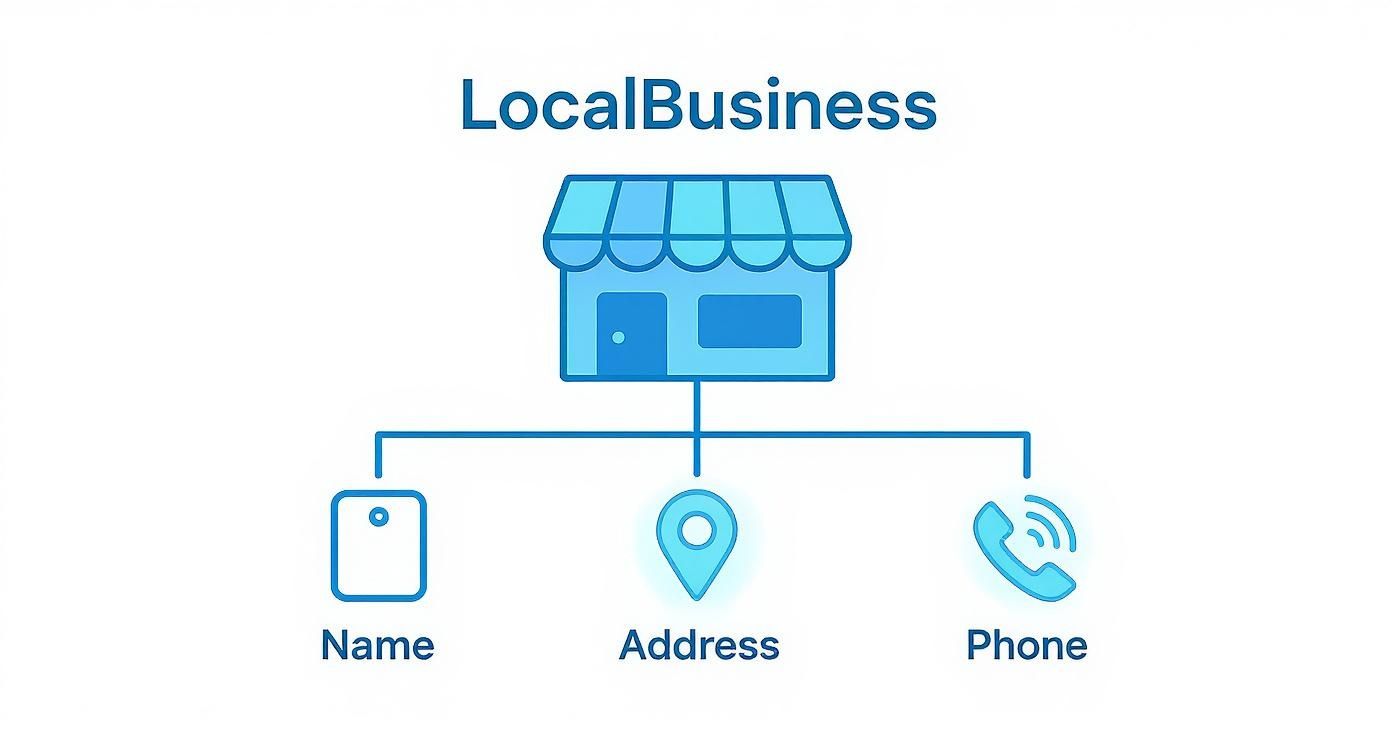
This picture makes it so clear! Your name, address, and phone number are the building blocks that tell search engines who you are.
Choosing the Right Schema for What You Do
Using a more specific type unlocks special powers. These are extra details you can add that the plain LocalBusiness type doesn't have. This is where you can add the juicy info that wins over customers.
For example, if you change your type from LocalBusiness to Restaurant, you can suddenly add things like:
servesCuisine: You can say you serve "Italian" food or "Vegan" food.menu: You can add a link that goes straight to your menu online.acceptsReservations: You can let people know if they can book a table.
These little details can show up right in the search results! A hungry person can see everything they need to know to choose you. This works for tons of other businesses, from a Plumber to a HairSalon. Choosing the most specific schema markup for your local business is one of the easiest ways to get great customers who are ready to buy.
Adding Fancy Details to Get Noticed

Okay, you've built the foundation. Now it's time to add the cool stuff that makes people go "Ooh!" Basic schema is good, but these fancy bits are what help you win. It's the difference between a boring old link and a search result that's packed with helpful info.
Think like a customer. When they see star ratings or prices right away, it builds trust. You're giving them answers before they even have to click. This is where your schema markup for a local business really starts to work its magic.
Show Off Your Good Reputation with Reviews
Nothing sells your business better than other people saying you're great. Those little gold stars next to your name can make someone choose you over someone else. You can give this info to Google using aggregateRating.
This little piece of code tells Google two things:
ratingValue: Your average star rating (like "4.8").reviewCount: How many reviews you have in total (like "152").
When Google sees this, it might show those pretty stars in the search results. And this isn't just for looks—businesses with stars can get 20-30% more clicks! It's a quick way to show you're a trusted business.
One quick thing: Google wants these reviews to be from your own website, not from places like Yelp or Google itself. The idea is to show off the reviews you host on your own site.
Set the Right Vibe with Prices and Services
Ever walked into a store and realized everything was way too expensive? You can help people avoid that by adding a priceRange to your schema. You usually do this with dollar signs ($, $$, $$$) to give people a general idea of your prices.
It's a simple way to get the right kind of customers. Someone looking for a cheap lunch will go for a $ place, while someone looking for a fancy dinner will know a $$$ business is what they want. You're helping people find exactly what they're looking for.
You can also get super specific about what you do using hasOffer and Service. For example, a plumber could list out different services like:
- Fixing Leaky Faucets
- Unclogging Drains
- Installing Water Heaters
Each service can have its own description and even a price. This is how you show up for really specific searches like "emergency drain unclogging near me," because you've told Google you do that exact thing.
Pro Tip: Don't just list your services—add a short
descriptionto each one in your schema. This gives Google more info about what you do and helps you show up for more searches.
Connect All Your Online Pages
Your business isn't just a website. You probably have a Facebook page, an Instagram, and other profiles. The sameAs property is the perfect way to connect all those dots for Google.
Just add a list of links to all your official social media pages and other important listings. This helps Google understand that the Facebook page for "The Reading Nook" and its Instagram are all part of the same business.
It’s a small thing that makes your brand look more official and helps Google see your whole online world. You’re painting a bigger, better picture of your business.
Last but not least, for super-duper location accuracy, add geo coordinates. This lets you tell Google the exact latitude and longitude of your business. It removes all doubt and helps Google send nearby customers right to you.
How to Test Your Schema and Put It on Your Site
So, you made your secret code. It looks good! But putting broken code on your website is like sending a party invitation with the wrong address. No one will show up, and it will just be confusing. Before you do anything else, you have to make sure it works.
This is the last, most important step. It’s like spell-checking your homework. Luckily, Google gives us free tools to do this, and it’s super fast.
Checking Your Work with Google's Tools
The best place to start is Google's Rich Results Test. It's a simple website where you can paste your code or type in your website's URL.
When you run the test, you're looking for a big, happy green checkmark. That means Google understands your code and you could get those fancy search results. It’s the moment all your hard work pays off.
But what if you see red warning signs? Don't freak out! This is good. It means you found a mistake before it caused problems. The tool will usually tell you what's wrong, like a missing comma or a forgotten quote mark. These are usually tiny typos that are easy to fix.
Common Goofs and Easy Fixes
I've fixed a lot of broken schema, and it's almost always one of these little mistakes. Watch out for them!
- The Sneaky Missing Comma: Almost every line in your code needs a comma at the end. Forgetting just one can break the whole thing.
- Mixed-up Quotation Marks: Everything needs to be wrapped in straight quotes (
"). If one is missing, or you use a curly one (“) from a word processor, you'll get an error. - Spelling Mistakes in Links: Double-check that all your website links and social media links are spelled right and actually work. A broken link is a dead end for Google.
My Personal Tip: Always copy your code into a plain text editor first, like Notepad or TextEdit. This gets rid of any weird formatting that can cause errors you can't even see. It's a lifesaver!
Once you've fixed any mistakes, run the test again. Keep trying until you get that beautiful green checkmark. This step is so important. Good, working schema markup for a local business can help you show up in the map results and other special spots. In fact, businesses with good schema often get seen 20-30% more in local searches. You can discover more insights about schema's impact and see why this final check is so worth it.
Putting Your Code on Your Website
Okay, your code is perfect and Google-approved. Now it's time to put it on your website. You want to put your code in the <head> section of your site. This is like the "behind-the-scenes" area that only search engines look at.
How you do this depends on what your website is made with.
- For WordPress: The easiest way is to use a plugin. Tools like Yoast SEO or Rank Math have special spots where you can just paste your code. Easy peasy.
- For Shopify: You'll need to look at your theme's code. Find a file called
theme.liquidand paste your schema code right before the</head>part. It's not as scary as it sounds. - For Squarespace or Wix: These sites usually have a feature called "Code Injection" or "Custom Code" in the settings. That's the perfect place to add your schema.
Once you add the code, save your changes, and you're done! Your website is now speaking Google's language perfectly, giving you a huge leg up in getting local customers.
Common Questions About Local Schema Markup
Even with a great guide, you might still have questions. It's like building IKEA furniture—you have the instructions, but you're still staring at a weird screw. Let's answer a few of the most common questions people have about schema markup for a local business.
Should I Use LocalBusiness or Organization Schema?
This is a big one, and the answer is pretty simple.
If a customer can walk into your business, you should use LocalBusiness or something more specific (like Restaurant). It tells Google, "Hey, we have a front door!"
But if your business is only online or you don't have a public address, then Organization is better. It's for businesses that don't have a physical storefront.
Can I Add Schema If I Can't Code?
Totally! You don't need to be a computer genius to do this. While you can write the code yourself, there are tons of great tools that do the hard work for you.
Many website builders have helpers that make it super easy:
- WordPress: Plugins like Yoast SEO or Rank Math will make a lot of the basic schema for you automatically. Just fill in your business info in their settings.
- Shopify & Squarespace: These often have built-in spots for your business info that create the schema for you in the background.
- Generators: You can also use a free online schema generator. You just fill out a form, and it makes the perfect code for you to copy and paste.
What If My Business Info Changes?
Great question! Businesses change all the time. You might stay open later, get a new phone number, or move.
The golden rule is simple: when you update your info on your website, update your schema markup right away. They need to match perfectly.
Old schema sends confusing messages to Google and can trick your customers. Bad news! Just make it a habit. Whenever you change your contact page, go check on your schema code, too. This makes sure Google always has your freshest info, which helps it trust you more.
Will Schema Guarantee I Get Rich Results?
This is the big question, and the honest answer is no. Adding schema makes you eligible for cool results like star ratings, but it doesn't promise you'll get them.
Google gets the final say. It looks at how good your code is, how helpful your website is, and how important your site is overall. Think of schema as buying a lottery ticket—it gives you a chance to win, but it’s not a guaranteed jackpot.
But here's the thing: without that ticket, you have zero chance. Using schema correctly is the first step you have to take to even be considered for those awesome search features that make your business stand out. It’s all about putting your best foot forward and giving Google every reason to show you off.
Ready to stop guessing and start getting seen? The team at Authority Echo specializes in turning your expertise into the "best answer" across search and AI. We handle the complex parts of schema and visibility so you can focus on running your business. Get your free visibility audit today and see where you stand.